
Best Cloud Accounting Software
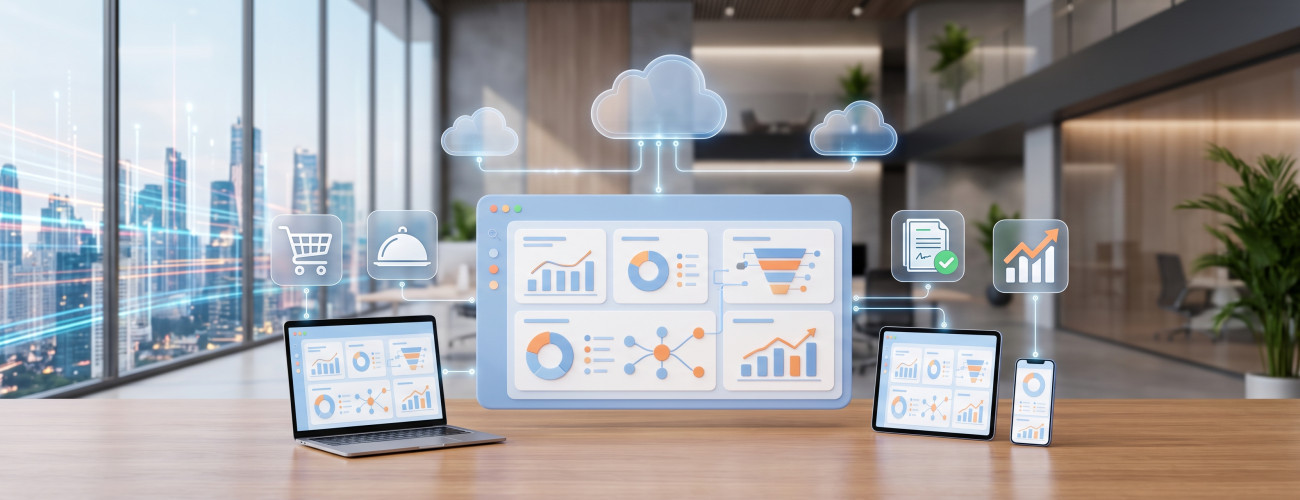
Choosing the best cloud accounting software is an essential step for companies that need to track accounts, sales, inventory, and reports from multiple locations, without being completely tied to a specific device or server located within the facility.
Operating the software online does not necessarily mean it is the suitable choice for every company. An effective cloud system should combine accounting functions with ease of use, permission management, reports, customers, suppliers, and e-invoicing, along with the ability to scale as the number of branches and users increases.
Digital Business offers the DigitalPlus system as a cloud accounting solution tailored for small and medium-sized enterprises, with the ability to manage financial transactions, e-invoicing, and reports, and use the system across various devices.
This guide reviews the concept of cloud accounting software, its key features, the differences between it and the traditional system, and the criteria that can be relied upon to choose the most suitable solution for the nature of your business.
What is Cloud Accounting Software?
Cloud accounting software is an online account management system that allows authorized users to log in and record financial operations, handle invoices, sales, purchases, customers, suppliers, and reports, without fundamentally relying on a single device within the company.
Among the most prominent terms used to refer to this type of system:
- Cloud accounting system.
- Cloud accounting software.
- Online accounting software.
- Online accounting system.
- Web-based accounting system.
The available capabilities vary depending on the system; one software might be limited to invoices and expenses, while another combines accounting, inventory, point of sale, reports, cost centers, and branch management in a single platform.
To learn more broadly about this type of solution, you can check out the Accounting and Point of Sale System and understand how to manage financial and commercial operations through the system.
What are the features of the best cloud accounting software?
The best cloud accounting software is characterized by its ability to combine integrated financial functions, ease of access, reports, permissions management, and scalability, not just by the ability to run it through a browser.
Among the most prominent features that should be verified:
Accessing accounts from multiple locations
Cloud systems allow access to data from devices and locations permitted by the system, a suitable feature for a manager or accountant who needs to monitor company operations from the office, home, or while on the go.
The cloud accounting solution provides the ability to track business and accounts using different devices and multiple screen sizes.
Discover: Cloud Accounting Software and start exploring its capabilities.
Sales and Purchases Management
The software's role should not be limited to recording accounting entries, but must cover the sales and purchases cycle in an interconnected manner.
Among the key operations the system needs:
- Sales invoices.
- Purchase invoices.
- Customer management.
- Supplier management.
- Payment recording.
- Collections tracking.
- Returns processing.
- Discount application.
The more these operations are connected within a single system, the lower the need to manually enter or transfer information between multiple programs.
Inventory Management
When a company's business is based on selling products, it is important for the system to include inventory and warehouse management alongside accounting.
Elements to look for include:
- Product balances.
- Inventory movement.
- Purchasing operations.
- Sales operations.
- Low stock alerts.
- Supplier data.
- Returns operations.
- Product reports.
And the Distribution System offers suitable options for managing products, inventory, invoices, and customer and supplier accounts within commercial operations.
What is the difference between Cloud Accounting Software and Traditional Software?
The main difference between the two systems lies in the operating method, data access approach, and technical infrastructure each solution is based on.
| Comparison | Cloud Software | Traditional Software |
|---|---|---|
| Access | Through the internet and authorized devices | Usually from a specific network or devices |
| Working from multiple locations | Much easier | May require additional configurations |
| Updates | Often done centrally | May require local updates |
| Local Server | Less reliance on it | Its presence may be required |
| Branch Management | Relatively more flexibility | Requires a suitable connection infrastructure |
| Scalability | Adding users or resources according to the system | May require infrastructure upgrades |
| Reliance on the Internet | Higher | Might be lower |

This doesn't mean the cloud system is the best choice in all circumstances; it is essential to evaluate the system's performance in case of a weak internet connection, backup mechanism, data recovery capabilities, permissions policy, and how it handles offline situations.
Before adopting a cloud system, it is important to review connection stability, backup mechanisms, data export capabilities, and costs resulting from adding users and branches.
How do you choose the best cloud accounting software?
Before completing a subscription, it is better to test the system based on the company's actual needs and daily operations.
Accounting Functions
Check for the following functions:
- Chart of accounts.
- Accounting entries.
- General ledger.
- Customer and supplier management.
- Expenses and revenues.
- Cost centers when needed.
- Trial balance.
- Income statement.
- Financial position.
Ease of Use
Request to test a complete operational cycle that includes the following steps:
- Add a customer.
- Create an invoice.
- Record a payment.
- Add a supplier.
- Enter a purchase invoice.
- Process a return.
- Issue an account statement.
- Extract a financial report.
If completing each operation requires a large number of steps, the system's advanced capabilities could turn into a burden on daily workflow.
Permissions
It is essential that the software allows segmenting users and defining the level of permissions granted to each.
An accountant may need access to accounts, while a sales employee only needs access to invoices and customers, and it shouldn't be assumed that all users have the ability to view or modify all data.
Reports
Basic questions that reports should help answer include:
- What are today's sales?
- What is the net profit?
- What is the total value of expenses?
- Who are the late-paying customers?
- What is the current inventory value?
- What are the best-selling products?
- Which branch achieves the best results?
A cloud accounting system provides a dashboard and interactive reports that help track performance indicators and compare results across different periods.
To learn more about reporting and data management solutions needed by management, you can check out Digital Sender and Reports.
Should cloud software support E-invoicing?
For establishments subject to e-invoicing requirements in Saudi Arabia, the used invoicing solution must comply with the requirements applicable to the establishment.
The establishment can choose an electronic solutions provider, provided that the system used adheres to e-invoicing requirements, which is available within the Cloud Accounting Solution provided by Digital Business.
Therefore, it's not enough to rely on the system being described as "accredited"; rather, you should test the following:
- Tax invoice.
- Simplified invoice.
- Value Added Tax (VAT).
- QR code.
- Credit and debit notes.
- XML and integration requirements when Phase Two applies.
The DigitalPlus system provides support for e-invoicing and compliance with Phase Two among its published features.
You can also review Accounting and E-invoicing Solutions to learn about criteria for choosing the appropriate system.
What is the best cloud accounting software for small businesses?
A small establishment needs a clear, easy-to-use system that doesn't add unnecessary complexities, while at the same time providing the ability to grow and expand in the future.
It is best to look for:
- Accounts.
- Invoices.
- Customers.
- Suppliers.
- Expenses.
- Taxes.
- Reports.
- Permissions.
- Inventory when needed.
- Ability to add users and branches.
Digital Business offers DigitalPro Cloud as a cloud accounting system aimed at small and medium enterprises, featuring an Arabic interface, archiving, e-invoicing, and financial reports.
You can also check Packages and Pricing to find suitable subscription options before making a decision.
Is Digitalplus a suitable choice?
Yes, DigitalPlus is an integrated cloud accounting system that allows tracking operations and accounts online, specifically targeting small and medium-sized companies.
Among the features offered by the system:
- Management of accounts and financial operations.
- Arabic language support.
- Archiving.
- E-invoicing.
- Financial reports.
- Dashboard.
- Reports and performance indicators.
- Sales and inventory management for retail activities.
- Customer and supplier management.
- System usage across devices of different sizes.
Based on this, DigitalPlus can be considered among the options worth studying when looking for cloud accounting software that combines accounts, online access, reports, and operations management through a single system.
Discover: Cloud Accounting Software DigitalPlus.
Is cloud software suitable for restaurants and retail stores?
A cloud system can be suitable for these activities, provided it includes the functions required by the nature of the sector.
Retail stores need:
- Inventory.
- Products.
- Suppliers.
- Sales.
- Discounts.
- Invoices.
- Point of Sale (POS).
While restaurants require additional functions including recipes, ingredient costs, waste tracking, POS, and reports.
Digital Business provides solutions for retail and restaurant sectors that include inventory management, sales, purchases, reports, and POS integration.
If restaurant operations require a more specialized solution, you can check out Restaurant and Cafe Management System.

Mistakes to avoid when choosing cloud accounting software
Your choice shouldn't be based on price alone or merely on the system being cloud-based.
Avoid the following mistakes:
- Not testing the system before purchasing.
- Neglecting internet connection quality.
- Not asking about backups.
- Ignoring data export capabilities.
- Not testing the permissions system.
- Choosing a non-scalable software.
- Not testing return operations.
- Neglecting e-invoicing.
- Not calculating the cost of adding users and branches.
- Choosing a system without involving the accountant.
The best test is implementing a full operational cycle starting from issuing a sales invoice, then tracking the operation's impact on the customer's account, inventory, and reports.
Frequently Asked Questions about the best cloud accounting software
What is the best cloud accounting software?
The best software is the one that suits the nature of the company's business and combines accounts, invoices, customers, suppliers, reports, and permissions, while providing inventory, branches, and e-invoicing when required.
DigitalPlus is considered one of the options that can be evaluated based on the cloud and accounting functions provided by Digital Business.
Is cloud accounting software safe?
The level of security is tied to the service provider's technical infrastructure, permissions system, backup policies, user management mechanism, as well as the establishment's own practices.
Can the software be used from a phone?
DigitalPlus offers a user experience across different screens and devices, including mobile devices.
Is the cloud system suitable for small businesses?
Yes, especially when an establishment needs to run its operations from multiple locations, reduce reliance on a local server, and add users or branches as the business expands.
Does cloud software require the internet?
Yes, cloud systems primarily depend on an internet connection, so it's necessary to ensure how the system operates during weak or disconnected connections before adopting it.
What is the difference between DigitalPro and DigitalPro Cloud?
DigitalPro focuses on accounts, POS, and related operations, whereas DigitalPro Cloud represents the cloud accounting solution provided by Digital Business for managing accounts online.
Conclusion
Choosing the best cloud accounting software is not just about the ability to access the system online, but rather its ability to manage accounts, invoices, sales, purchases, customers, suppliers, inventory, and reports within a secure and scalable environment.
Before making a final decision, test the ease of use, permissions, reports, backup, data recovery and export capabilities, and e-invoicing. Then verify the system's ability to accommodate a future increase in users and branches.
And DigitalPlus from Digital Business provides a cloud solution that combines accounting, reports, e-invoicing, and operations management, targeting small and medium enterprises, while supporting sectors like retail and restaurants according to the features on the current page.
You can review packages and pricing, then sign up and get a free trial and test the system on your company's actual transactions before making a subscription decision.
Start managing your business with total flexibility
Try Digital Business for free. Start issuing your ZATCA-compliant electronic invoices in minutes.