
Best Restaurant Accounting Software in Saudi Arabia
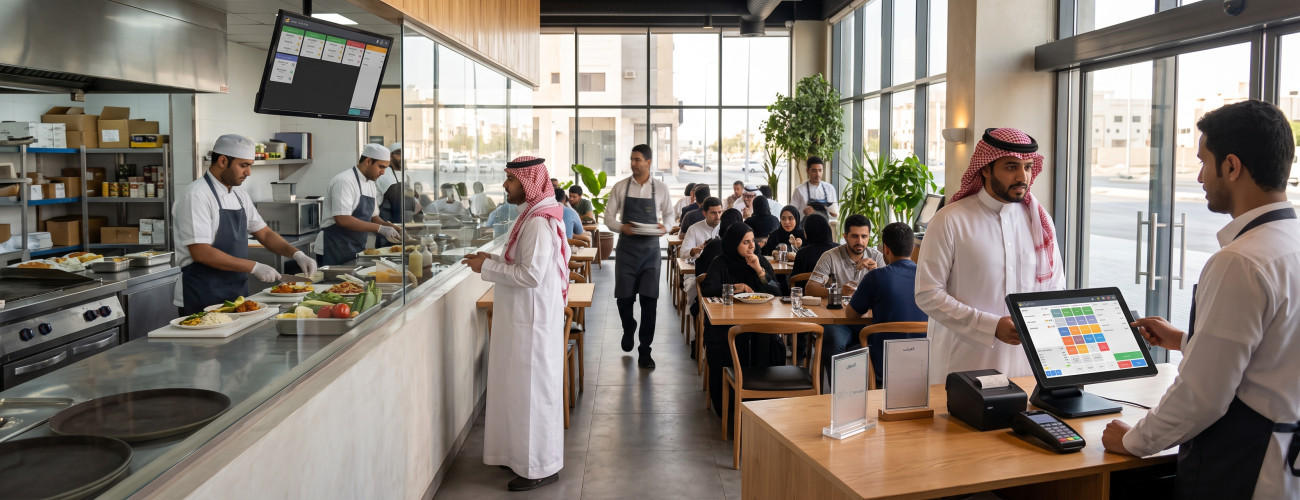
Choosing the best accounting software for restaurants is not limited to issuing invoices or recording revenues and expenses. Restaurant management involves an interconnected operational system that includes sales, recipes, raw materials, inventory, purchases, point of sale (POS), orders, delivery, returns, and costs.
Hence, the appropriate software should connect what happens in front of the customer at the cashier with the operations taking place inside the kitchen, warehouse, and financial management.
In short, the role of a suitable restaurant system is to provide accurate and continuous answers to basic questions, including: What is today's sales volume? How much do meals cost? What are the most profitable items? Where does waste occur? And do the recorded sales match payments and inventory movement?
This is where the difference between a traditional accounting software and a comprehensive restaurant management solution becomes apparent.
What is the best accounting software for restaurants?
The best restaurant accounting software is a system that links POS operations and orders with inventory, recipes, purchases, expenses, accounts, and reports, allowing the restaurant owner to determine the actual cost and profit for each item, branch, or time period.
Accordingly, it is not preferable for the system's functions to be limited to:
- Recording sales operations.
- Issuing and printing invoices.
- Recording expenditures and expenses.
Rather, it is essential that it covers the various stages of work inside the restaurant and links them within a single operating cycle.
| Aspect | What should the system provide? |
|---|---|
| Sales | Managing orders, invoices, discounts, and return operations |
| Point of Sale (POS) | A practical, fast, and easy-to-use cashier interface |
| Inventory | Tracking raw materials, quantities, and warehouse movement |
| Recipes | Defining the ingredients of each meal and linking them to it |
| Purchases | Managing suppliers, purchase orders, and purchase invoices |
| Costs | Calculating food cost and analyzing item profit margins |
| Accounting | Managing journal entries, accounts, and preparing financial reports |
| Tax | Handling Value Added Tax (VAT) |
| Invoicing | Supporting electronic invoicing according to applicable requirements |
| Branches | Tracking multiple locations through reports and management |
| Management | Managing permissions and providing reports that support decision-making |
The Restaurant and Cafe Management System from AamalSoft provides a solution that combines POS, orders, inventory, reports, and accounting integration, fitting the nature of work in the restaurant sector.
To learn about the financial aspects in more detail, you can refer to the Saudi Restaurant Accounting Guide, which covers the sales cycle, inventory, costs, and profits.
Why isn't traditional accounting software enough for a restaurant?
In service activities, the process may flow simply from providing the service to issuing the invoice, then recording the revenue.
But selling a single meal in a restaurant may entail executing a set of simultaneous operations, such as:
- Recording the sale operation.
- Receiving the amount in cash or electronically.
- Deducting used ingredients from inventory.
- Calculating the cost of the sold meal.
- Recording the applicable tax.
- Posting revenue to accounts.
- Updating sales data and reports.
- Calculating the sale's impact on the item's profitability.
When these tasks are distributed between a cashier software, Excel spreadsheets, and an independent accounting system, the process of consolidating and reconciling data becomes much more complex.
Therefore, restaurant accounting software in Saudi Arabia should minimize the separation between operational and financial activities, linking them as much as possible within a unified system.
Recipe Management and Meal Costing
Recipe management is one of the features that distinguishes specialized restaurant systems from general accounting software.
When selling a meal, the impact of the transaction shouldn't be limited to deducting one unit of the final product; rather, the manager must be able to know the quantities of consumed ingredients and their actual cost.
For example, a meal's ingredients could include:
- 200 grams of meat.
- A piece of bread.
- Vegetables.
- Sauce.
- Packaging container.
By recording the recipe and linking its ingredients to the meal, the cost of used materials can be compared with the selling price, which helps in measuring Food Cost and determining product profitability more accurately.
Inventory Management and Waste Reduction
Inventory represents a highly sensitive aspect in restaurants, as minor daily discrepancies in raw material quantities can accumulate to form a noticeable financial burden by month-end.
Therefore, it is important for the restaurant management system to allow monitoring of the following elements:
- Available quantities of raw materials.
- Materials received from suppliers.
- Consumption rates.
- Transfer movements between warehouses.
- Damaged materials and waste quantities.
- Minimum required inventory limits.
- Purchasing operations costs.
- Items that require restocking.
Linking recipes to sales helps compare supposed consumption with actual inventory, enabling management to detect unusual discrepancies early on instead of discovering them during month-end closing.
DigitalPro software for restaurants allows tracking item balances, alerting upon low inventory, managing suppliers, and analyzing consumption and food costs.
For broader details on inventory movement, you can review the warehouse management guide.
Ready to try the system?
Start your free trial or speak with the sales team to help you choose the right solution.
Point of Sale and Order Management
The cashier should not have to use a complex accounting interface when dealing with customers, in order for the restaurant software to be practical for daily use.
The employee needs a clear and fast screen that enables handling of:
- Dine-in orders.
- Takeaway orders.
- Delivery orders.
- Table management.
- Additions and modifications to meals.
- Applying discounts.
- Various payment methods.
- Splitting the bill when needed.
- Canceling orders and processing returns according to specified permissions.
In return, the accountant and management need to review the reflections of these operations on accounts, inventory, and financial and operational reports.
The restaurant and cafe system at AamalSoft provides the ability to handle multiple types of orders, manage tables, split bills, and route orders to kitchen departments, in addition to supporting Kitchen Display Systems (KDS).
What is the importance of linking the kitchen to the restaurant management system?
Relying on paper orders or transferring their details verbally from the cashier to the kitchen may increase the chances of delays or overlooking some information related to the order.
However, when using an integrated system, the order can be routed directly from the point of sale to the department responsible for preparing it.
This capability becomes even more important in restaurants that have:
- Multiple production sections.
- A wide or large kitchen.
- A high volume of orders.
- More than one point of sale.
- Simultaneous dine-in, takeaway, and delivery services.
Therefore, supporting order routing to different departments and the ability to use a KDS system are important criteria when evaluating a restaurant software, rather than just a secondary addition to the cashier system.
You can register for a free trial period and practically test the functions of the restaurant system from AamalSoft.
How does the software help in calculating restaurant profits?
It is an inaccurate perception to believe that high sales volume alone is enough to judge the success of a restaurant.
An item may achieve high sales, but require expensive materials, have frequent discounts applied to it, or its sales might be associated with high delivery commissions.
Hence, reports should allow monitoring the following indicators:
- Total sales value.
- Net sales after deductions.
- Food cost.
- Gross profit.
- Operating expenses.
- Sales distributed by items.
- Best-selling items.
- Slow-moving items.
- Branch performance level.
- Results of time periods and shifts.
DigitalPro restaurant system provides reports on sales and profits, analyses of best-selling and stagnant items, along with comparing the cost of products to their selling prices.
Start managing your business with complete flexibility
Try AamalSoft for free. Start issuing your ZATCA-compliant electronic invoices within minutes.