
Elements of the Accounting System
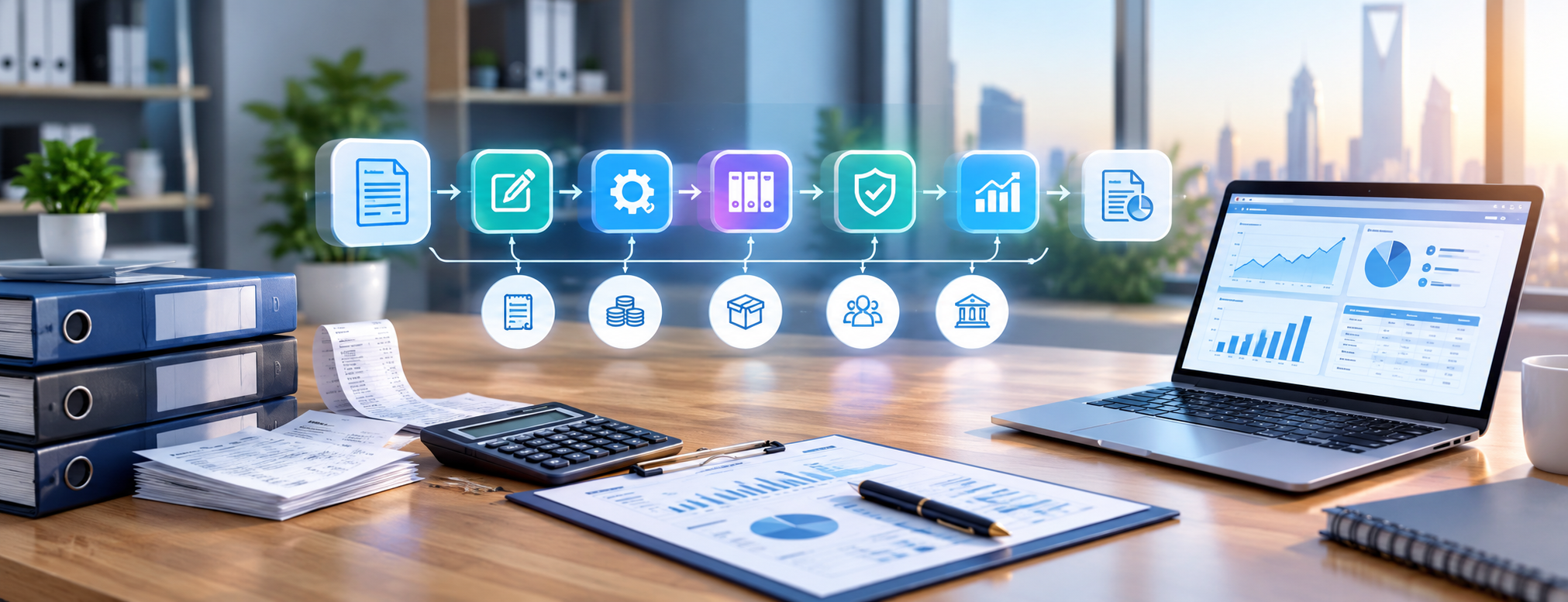
Understanding the elements of the accounting system helps in grasping the path of a financial transaction, starting from the invoice or voucher, going through recording the accounting entry and posting it to the accounts, and reaching the financial reports that management relies on to monitor the facility's performance and support its decisions.
The concept of an accounting system is not limited to using electronic software, nor is it represented by the journal or chart of accounts alone. Rather, it encompasses an interconnected system of documents, data, procedures, accounts, employees, control measures, software, and reports. Any deficiency in one of these components can affect the accuracy of financial information, even when using advanced software.
The need for an organized and clear accounting system becomes more crucial as the facility expands, and the number of its branches, customers, suppliers, warehouses, and daily transactions increases.
This guide reviews the components of the financial accounting system, the sequence of the accounting cycle, how documents are linked to entries and reports, along with the most prominent features that should be available in a modern accounting system.
What is the Definition of an Accounting System?
An accounting system is a framework that includes the procedures, documents, accounts, human resources, and technologies used to collect, record, classify, and process financial transactions, and then convert them into reliable financial information and reports.
Its working mechanism can be presented simply as follows:
Financial Document → Transaction Recording → Accounting Processing → Posting and Classification → Review and Adjustments → Financial Reports
When executing a product sale, the processing does not end with issuing the invoice; rather, the transaction's impact extends to:
- Recording sales.
- Customer or cash account.
- Value Added Tax (VAT).
- Updating inventory.
- Recording cost of goods sold.
- Reflecting the transaction on financial reports.
Hence, a Point of Sale (POS) system contributes to linking sales operations with accounts and inventory instead of handling each aspect separately.
What are the Elements of an Accounting System?
The accounting system consists of interconnected components working together, starting with documents and data and ending with the production of financial information and reports.
1. Accounting Documents
Accounting documents are the source upon which financial data relies; therefore, every recorded transaction must be supported by a document or evidence proving its occurrence.
The most prominent types of documents include:
- Sales invoices.
- Purchase invoices.
- Receipt vouchers.
- Payment vouchers.
- Purchase requests and orders.
- Debit and credit notes.
- Bank statements.
- Inventory documents and movements.
- Payroll statements.
- Contracts.
Retaining the document allows the accountant and auditor to trace back to the source of the transaction, verifying its value, execution date, and associated parties.
2. Chart of Accounts
The chart of accounts represents the framework within which various financial transactions are organized and classified.
It usually includes:
- Assets.
- Liabilities.
- Equity.
- Revenues.
- Expenses.
Each classification may contain more detailed sub-accounts, such as banks, customers, suppliers, inventory, sales, and operating expenses accounts.
It is important that the chart of accounts is built according to the nature of the activity and the facility's needs, avoiding unnecessary expansion in creating accounts that are difficult to organize and monitor.
3. Accounting Entries
The accounting entry transforms the information in the document into a recorded financial impact according to the double-entry principle.
For example, when selling goods for cash, the debit and credit accounts must be identified, along with specifying the tax value and cost when necessary.
Linking the document to the entry is highly important; recording an entry not backed by a supporting document reduces the ease of tracking and auditing the transaction.
4. Accounting Books and Records
Accounting books and records are used to compile and organize financial movements in a way that facilitates reference and monitoring.
The most important of these records include:
- General Journal.
- General Ledger.
- Customer Subsidiary Ledger.
- Supplier Subsidiary Ledger.
- Inventory Movement Records.
- Fixed Assets Register.
- Expense Records.

In modern accounting systems, these records have become electronic, automatically updating upon entering transactions.
5. Documentary Cycle
The documentary cycle outlines the path of a document between departments and sections from the initiation of the transaction, through to its review, approval, recording, and archiving.
For example, a purchasing process might start with a purchase request, then go through the following stages:
- Request approval.
- Issuing a purchase order.
- Receiving the goods.
- Inspecting and reviewing the supplier's invoice.
- Recording the transaction in accounting.
- Approving the payment process.
An organized documentary cycle helps reduce many errors before the transaction moves to the accounting recording stage.
6. Accounting Procedures and Policies
Procedures clarify the way transactions are executed, while policies determine the accounting method by which those transactions are processed.
Examples of this include:
- Revenue recognition policy.
- Inventory valuation method.
- Depreciation calculation.
- Expense processing method.
- Credit limits.
- Discount authorization limits.
- Returns handling mechanism.
- Monthly closing procedures.
Pre-defined policies help ensure that employees process similar transactions in a consistent manner.
7. Internal Control
Internal control is a fundamental component of the accounting system, as it contributes to protecting the facility's assets and reducing the probabilities of error or manipulation.
Prominent control tools include:
- Distributing and segregating duties.
- Transaction authorization.
- Setting limits for discounts.
- Reviewing cash balances.
- Performing bank reconciliations.
- Executing inventory counts.
- Closing accounting periods.
- Managing user permissions.
- Maintaining an audit trail of modifications.
For example, it is best that the same employee does not create the supplier, approve their invoice, and execute the payment to them.
8. The Human Element
Operating the accounting system depends on the people who use it, enter data, and monitor operations.
Prominent users include:
- Accountants.
- Financial Manager (CFO).
- Sales Staff.
- Procurement Officers.
- Warehouse Keepers.
- Managers.
- Auditors.
No matter how efficient the accounting software is, entering incorrect data or lack of user training can lead to reports that do not accurately reflect the financial reality.
9. Accounting Software and Database
The software constitutes the technical side of the accounting system, operating to input data, process it, and link it with various operations and accounts.
A modern system may combine:
- Accounts.
- Sales.
- Purchases.
- Inventory.
- Customers.
- Suppliers.
- Taxes.
- Points of Sale.
- Reports.
Cloud solutions suit facilities that need to access their data from multiple locations, and you can explore the accounts and POS management solutions provided by modern systems for this purpose.
10. Financial and Accounting Reports
Accounting and financial reports are among the most important outputs of the system, as management and decision-makers rely on them to monitor results and analyze performance.
Among the most important reports:
- Trial Balance.
- Income Statement.
- Statement of Financial Position (Balance Sheet).
- Cash Flow Statement.
- Customer Statement of Account.
- Supplier Statement of Account.
- Sales Reports.
- Inventory Reports.
- Expense Reports.
- Cost Center Reports.
You can benefit from the packages and pricing when choosing a solution that supports tracking sales, purchases, inventory, revenues, expenses, customers, and suppliers through appropriate reports.
Components of the Financial Accounting System
The components of the financial accounting system can be grouped into five essential elements:
| Element | Its Role |
|---|---|
| Inputs | Transactions and documents with financial impact |
| Processing | Recording, classifying, and posting data, and making adjustments |
| Storage | Saving accounts, information, and documents |
| Control | Verifying the integrity of operations and authorization to execute them |
| Outputs | Financial statements and reports |

Inputs
Includes all information and data entered into the system; examples include:
- Invoices.
- Vouchers.
- Expenses.
- Payroll.
- Collected amounts.
- Payments.
Processing
Involves converting raw data into accounting information through a series of steps, including:
- Analyzing the transaction.
- Recording the entry.
- Posting to accounts.
- Making adjustments.
Storage
Data should be retained in a way that allows future retrieval when needed, with the ability to link every transaction to its supporting document.
Control
Control works to verify data integrity and ensure that each user only executes operations permitted to them according to their authorizations.
Outputs
Represented by reports and statements that help management understand financial results and position, relying on them for decision-making.
Stages of the Accounting Cycle
The accounting cycle illustrates the sequential stages that financial transactions go through leading up to the preparation of financial statements.
1. Identifying Financial Transactions
The process begins with collecting documents and identifying transactions that have a financial impact on the facility.
2. Analyzing the Transaction
The accountant determines:
- The accounts affected by the transaction.
- The transaction value.
- The debit account.
- The credit account.
- The tax.
- The cost center.
3. Recording Entries
Transactions are recorded in the general journal in chronological order.
4. Posting to the General Ledger
After recording the entries, movements are posted to the relevant accounts so the balance of each account can be determined.
5. Preparing the Trial Balance
Account balances are extracted to verify the equality of total debits and total credits.
However, the equality of the balance sides does not necessarily prove the accounts are free of errors; an amount could be recorded in the wrong account while the entry remains balanced.
6. Recording Adjusting Entries
Required adjustments are recorded, including:
- Accrued expenses.
- Accrued revenues.
- Depreciation.
- Prepaid expenses.
- Provisions.
- Inventory discrepancies.
7. Preparing the Adjusted Trial Balance
Following the entry of adjusting entries, balances are extracted post-adjustment in preparation for use in preparing financial statements.
8. Preparing Financial Statements
The main statements include:
- Income Statement.
- Statement of Financial Position (Balance Sheet).
- Cash Flow Statement.
- Statement of Changes in Equity.
9. Closing
At the end of the period, temporary accounts are closed, and the system is prepared to start the next accounting period.
Through an integrated accounting system, a large part of the recording, posting, and reporting processes can be automated, while the importance of accounting review remains.
Ready to try the system?
Start your free trial or speak with our sales team to help you choose the right solution.
The Relationship Between the Elements of the Accounting System and the Accounting Cycle
The elements of the accounting system represent the components and tools the work relies on, while the accounting cycle refers to the stages in which these components are used to process financial transactions.
Example:
The facility sells a product to a customer.
Document: Sales invoice.
Procedure: Approving the sales transaction.
Software: Entering and recording the invoice.
Entry: Recording the revenue, tax, and customer account.
Record: Updating the ledger and customer account.
Inventory: Reducing the recorded quantity.
Control: Documenting the user who issued the invoice.
Report: Showing the transaction within sales reports and the income statement.
This interconnection confirms that the accounting system is an integrated framework, not just a tool dedicated to entering accounting entries.
Types of Accounting Systems
Accounting systems can be classified according to their operating method and scope of functions into the following types:
Manual Accounting System
Based on using paper books, documents, and manual recording of transactions.
Its suitability decreases as the number of operations and transactions the facility needs to record increases.
Electronic Accounting System
Relies on accounting software to enter data, process it, and produce necessary reports.
Cloud Accounting System
Provides access to accounts online according to permissions granted to users, serving facilities operating from multiple locations or relying on flexible work methods.
Integrated Accounting System
Combines accounting with sales, purchases, inventory, POS, and other operations related to the activity.
ERP Systems
Offer a broader scope by linking financial management with a set of departments and operations within the facility.
To learn about the differences between the types more comprehensively, you can view the accounts and POS management systems.
How to Choose the Right Accounting System?
First, start by defining the actual requirements of your facility, then verify the system's ability to cover the following aspects:
- Accounts management.
- Sales and purchases.
- Customers and suppliers.
- Inventory, if the activity requires it.
- Value Added Tax (VAT).
- Electronic invoicing.
- Branch management.
- Users and permissions.
- Cost centers.
- Reports.
- Backup.
- Scalability.
It is not enough to just review the list of features; it is better to test a real operating cycle that includes a sales and purchase invoice, a return, an accounting entry, and then extract a financial report.
You can benefit from an accounts and POS management system to link accounts with POS, inventory, suppliers, and reports, which suits facilities whose needs go beyond merely recording accounting entries.
Frequently Asked Questions about the Elements of the Accounting System
What are the types of accounting systems?
They include manual, electronic, cloud, and integrated systems, in addition to ERP systems. The appropriate choice is determined according to the facility's size, the nature of its activity, the number of users and branches, and the volume of operations.
What are the elements of an accounting system?
The most prominent elements of an accounting system are documents, chart of accounts, accounting entries, books and records, documentary cycle, policies and procedures, internal control, users, accounting software and database, and reports.
What is the definition of an accounting system?
An accounting system is an interconnected framework of people, procedures, documents, accounts, and technologies used to collect, process, and convert financial data into information and reports that support control and decision-making.
What is the difference between the accounting system and the accounting cycle?
The accounting system is the comprehensive framework that brings together documents, accounts, employees, software, and control tools, while the accounting cycle is the sequence that transactions go through from their recording until the preparation of financial statements and closing.
What are the most important components of the financial accounting system?
They can be summarized as inputs, processing, storage, control, and outputs, where these elements integrate to transform documents and transactions into useful financial information and reports.
Conclusion
The elements of the accounting system form the foundation that a facility relies on to transform its daily transactions into organized and reliable financial data. The system begins with documents and data, passing through the chart of accounts, entries, records, procedures, control tools, and software, before reaching the financial reports that management bases its work upon.
As for the accounting cycle, it organizes the processing sequence of that data, starting from analyzing the transaction, recording and posting it, then making adjustments, preparing financial statements, and reaching the closing stage.
With the interconnection of the financial accounting system's components, the need for manual data entry decreases, and the facility's ability to monitor accounts, inventory, customers, and suppliers improves, while providing more organized data that can be relied upon when making decisions.
You can review the accounts and POS management solutions and explore accounting systems and reports, then register and get a trial period to test the system through a real accounting cycle within your facility.
Start managing your business with complete flexibility
Try Digital Business for free. Start issuing your ZATCA-compliant electronic invoices in minutes.