
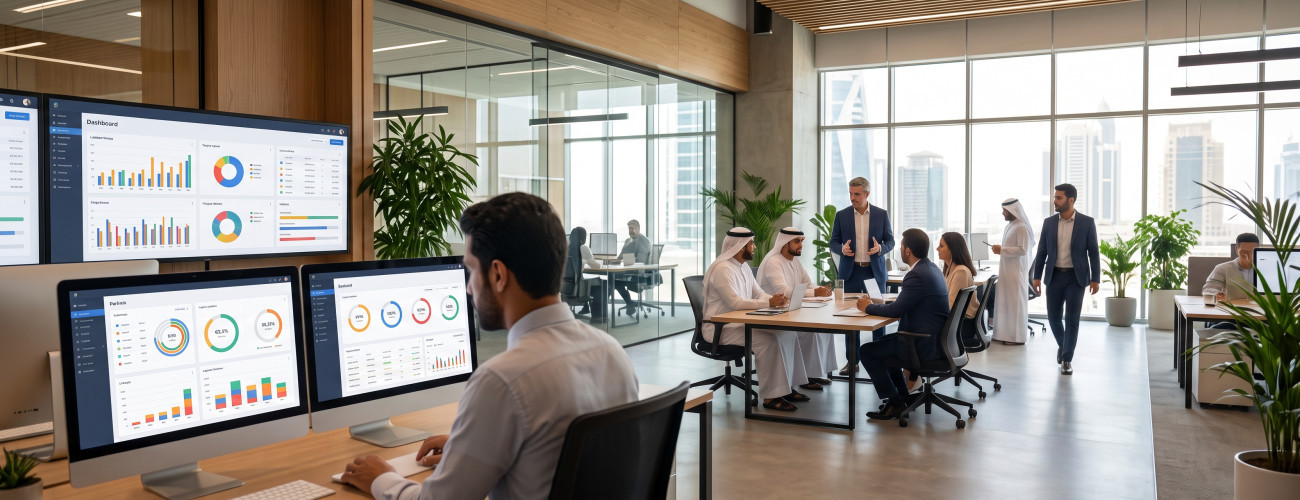
Employee management software has become a crucial element for organizations seeking to consolidate employee data, attendance, leaves, payroll, and documents in one unified place, replacing Excel files, paperwork, and scattered information across departments.
As the team grows, administrative inquiries increase: Who was late for work? What is each employee's leave balance? Has a certain document expired? How much are the overtime hours, allowances, and deductions? Do the payroll data align with the attendance records?
Here lies the value of the employee management system; it organizes daily procedures into reference data and reports, reduces manual tasks, and provides HR with more accurate tracking of employees.
AamalSoft provides an employee attendance system, which brings together employee files, attendance, shifts, leaves, payroll, allowances, deductions, and reports within a single platform.
What is an Employee Management Software?
An employee management software is a digital system used to store and organize employee data and manage related administrative operations, such as attendance, leaves, shifts, payroll, documents, permissions, and reports.
Instead of distributing an employee's file, attendance record, and leave data across multiple sources, the system consolidates these details into a single electronic record.
Data that can be included in an employee's file:
- Name and basic details.
- Employee ID.
- Job title and department.
- Branch.
- Hiring date.
- Salary.
- Allowances and deductions.
- Work schedule.
- Leaves.
- Attendance.
- Documents and attachments.
- Dependents' data when needed.
- Performance record and reports.

Digital Time allows creating a comprehensive record for each employee, including their personal and job information, documents, shift schedules, leaves, allowances, and deductions, along with the ability to track attendance and generate regular reports.
What is the Difference Between Personnel Management and Human Resources?
Personnel management often focuses on daily administrative procedures, whereas human resources extend to broader areas such as recruitment, development, performance evaluation, and workforce planning.
Personnel management responsibilities typically include:
- Employee files.
- Contracts and documents.
- Attendance.
- Work shifts.
- Leaves.
- Payroll.
- Allowances.
- Deductions.
- Administrative procedures.
HR tasks may also include:
- Recruitment.
- Performance evaluation.
- Training.
- Promotions.
- Career development.
- Workforce planning.
Therefore, an effective HR system can combine daily task execution with analysis and evaluation in a single environment.
The employee attendance management system enables defining branches, departments, salaries, and career ladders, setting employee evaluation criteria, in addition to managing working hours, leaves, and permissions.
What are the Key Functions of an Employee Management System?
An employee management system is supposed to address real daily work needs, not just store employee names.
Employee File Management
The electronic file is the foundation from which personnel management starts.
The file should contain all necessary details in one place so the administrator can access them directly without navigating between files and correspondence.
It is also essential to allow archiving official documents and attachments for easy retrieval when needed.
The Digital Time employee management system provides archiving for official documents, job data, and attachments within the employee's file.
Attendance Management
Attendance is not limited to documenting check-in and check-out times; it is linked to working hours, delays, absences, overtime, and leaves.
The system should clarify points such as:
- Who attended?
- Who was late?
- Who was absent?
- How many hours did the employee work?
- How many overtime hours?
- Do they have an approved leave?
The Digital Time employee management system offers several methods for recording attendance, including integration with biometric systems, manual entry, and file imports, while documenting the date and time of transactions.
You can review the Digital Time attendance system if shift management is one of the biggest challenges in your organization.
How Does the Software Help in Managing Shifts and Schedules?
Work schedules vary between organizations and may include:
- Morning shift.
- Evening shift.
- Rotating shifts.
- Employees in different branches.
- Different working days across departments.
Consequently, it is important that the software allows configuring schedules to suit the nature of each department or location.
The Digital Time employee management software allows organizing shift periods, leaves, and public holidays. It also processes attendance data into a daily and monthly timesheet that includes working hours, delays, and overtime.
This reduces the need to manually calculate and compile employee hours at month-end closing.
How Are Leaves Managed?
Tracking leaves can become a source of overlap and errors when relying on correspondence and manual records.
The system is supposed to track the following:
- Leave type.
- Start and end dates.
- Number of days.
- Employee's balance.
- Request status.
- Previous leaves.
- The impact of the leave on attendance.
The Digital Time employee management software features management of leave types, exceptions, and leave balances, in addition to reports that help management track them.
Also discover: DigitalCRM Customer Service Management System
What is the Relationship Between Attendance and Payroll?
One of the most prominent features of the personnel management system is connecting actual attendance records with the amounts due to the employee.
The following elements may be included in the salary calculation:
- Delays.
- Absences.
- Overtime.
- Allowances.
- Deductions.
- Leaves according to company policy.
Scattering this information between an attendance software and separate payroll files increases the likelihood of errors when preparing payroll.
AamalSoft explains that Digital Time manages employee files, attendance, salaries, allowances, and deductions, and that processing shift data helps link field discipline with financial dues.
Ready to Try the System?
Start your free trial or talk to the sales team to help you choose the right solution.
Why Are User Permissions Important?
It is not appropriate to grant all users the ability to view or modify all employee data.
For example:
- A branch manager may only need to view employees in their branch.
- The HR manager needs to modify files.
- The director may need the reports.
- A regular employee does not need to see their colleagues' payroll data.
Therefore, the system should support defining permissions that match the responsibilities of each user.
Digital Time includes user permissions management and access control, in addition to defining branches and departments within the system.
Read also: The Best Accounting Software for Small Businesses
What Are the Most Important Reports in the Employee Management System?
An effective system transforms daily work details into reports that enable management to monitor challenges and rely on data when making decisions.
Essential reports include:
- Attendance.
- Delays.
- Absences.
- Working hours.
- Overtime.
- Leaves and balances.
- Payroll statement.
- Allowances and deductions.
- Employee evaluation.
- Performance by department or branch.
AamalSoft presents the Digital Time software as a solution providing reports for attendance, payroll, performance evaluation, and leaves, which helps management compare performance and monitor compliance.
Discover: Smart Reports Portal by AamalSoft.
When Does Your Company Need an Employee Management System?
Micro-enterprises may be able to track a few employees through simple records, but team growth reveals the need for a specialized solution.
Among the most prominent signs:
- Frequent attendance errors.
- Discrepancies between payroll and attendance sheets.
- Loss of documents.
- Difficulty knowing leave balances easily.
- An increase in the number of branches.
- Presence of multiple shifts.
- Difficulty calculating overtime.
- Relying on a single person for employee data.
- Lack of a clear record for changes.
- Taking a long time to prepare reports.
If these problems are frequent, transitioning to an HR employee system becomes a step towards organizing operations, not just a technical addition.
How Do You Choose the Best Employee Management Software?
Before adopting the software, identify the challenges to be addressed and test its functions in real-world scenarios.
Use the following checklist:
| Criterion | What Should Be Tested? |
|---|---|
| Employee File | Does it consolidate data and documents in one place? |
| Attendance | Does it record check-in and check-out accurately? |
| Shifts | Does it support multiple shifts? |
| Leaves | Does it show balances and requests? |
| Payroll | Does it support allowances and deductions? |
| Branches | Can multiple branches and departments be defined? |
| Permissions | Can what each user sees be controlled? |
| Reports | Do they show delays, absences, and performance? |
| Archiving | Can documents be saved? |
| Scalability | Is it suitable for an increasing number of employees? |
Ready to Try the System?
Start your free trial or talk to the sales team to help you choose the right solution.
Get: your free copy and try the system now
How Does Digital Time Help in Personnel Management?
The Digital Time Employee Management System provides a set of functions that make it suitable for organizations wanting to organize employee files, shifts, and attendance within a centralized system.
Among the most prominent published functions:
- Defining branches and departments.
- Defining salaries and career paths.
- Employee files.
- Basic and job data.
- Documents and attachments.
- Work hours and shifts.
- Leaves and holidays.
- Attendance.
- Allowances and deductions.
- User permissions.
- Employee evaluation.
- Attendance, leaves, payroll, and performance reports.
Thus, the system is not limited to fingerprint recording, but extends to a suite of personnel management functions related to employee data, shifts, entitlements, and reports.
You can also explore all AamalSoft software solutions if your organization needs to link employee management with accounting systems, customer management, or other specialized systems.
What is the Difference Between an Attendance Software and an Employee Management System?
A simple attendance software focuses only on check-in and check-out times, whereas a comprehensive employee management system links attendance to the employee's file, shifts, leaves, allowances, deductions, and reports.
Therefore, when choosing the system, do not just ask:
Does it record fingerprints?
Instead, ask:
What happens to the data after recording attendance?
If the data automatically transfers to shift, leave, and entitlement reports, the benefit becomes much greater than just having an entry and exit log.
Common Mistakes When Managing Personnel
Mistakes that increase the administrative burden include:
- Keeping employee files in multiple locations.
- Using Excel for each process separately.
- Not updating employee data.
- Not archiving documents.
- Sharing management permissions among multiple employees.
- Calculating delays manually.
- Not linking leave to the attendance record.
- Ignoring the review of shift data before preparing payroll.
- Lack of monthly reports.
- Not assigning a clear person responsible for updating data.
Automation does not mean eliminating human review, but it reduces data reentry and provides a reviewable record, which is what AamalSoft Software Company provides across all sectors and specializations.
Frequently Asked Questions About Employee Management Software
What is an employee management software?
It is a system used to organize employee files, attendance, shifts, leaves, payroll, documents, and reports within a unified database.
What is an HR system for employees?
It is a broader system for managing the employee lifecycle, and it may include employee data, attendance, leaves, payroll, performance evaluation, development, and reports, depending on the functions provided by the software.
What is the importance of an employee management system?
It helps reduce reliance on manual files, unify data, track attendance and leaves, organize documents, and improve report accuracy.
Can attendance be linked to payroll?
Systems that support this function can use attendance, delay, overtime, allowance, and deduction data within payroll processes. Digital Time features the management of attendance, payroll, allowances, and deductions within the platform.
Can more than one branch be managed?
Yes, if the system supports branches and departments. Digital Time enables defining branches and departments and organizing users and employees according to the organization's structure.
What is the best employee management system?
The suitable system is the one that aligns with the workforce size, number of branches, shift mechanism, and leave and wage policies, providing specific reports and permissions. Digital Time is one of the options that can be evaluated for companies needing to manage employee files, attendance, shifts, leaves, and payroll within a single platform.
Conclusion
An employee management software helps transform employee management from a set of separate files and records into an interconnected cycle starting from the employee's file, passing through attendance, shifts, leaves, and entitlements, and ending with the reports that management needs.
The appropriate system is not the one with the largest number of screens, but the one that solves the organization's daily problems and keeps employee data updated, trackable, and reviewable.
Digital Time for Attendance and Personnel Management by AamalSoft provides functions to manage employee files, shifts, leaves, payroll, allowances, deductions, permissions, and reports.
You can also browse AamalSoft solutions, then request a free trial and test the system on an actual employee, shift, leave, and attendance sheet before making an adoption decision.
Start Managing Your Business with Complete Flexibility
Try AamalSoft for free. Start issuing your ZATCA-compliant electronic invoices within minutes.