
Phase Two of E-Invoicing Integration and Linking Guide in Saudi Arabia
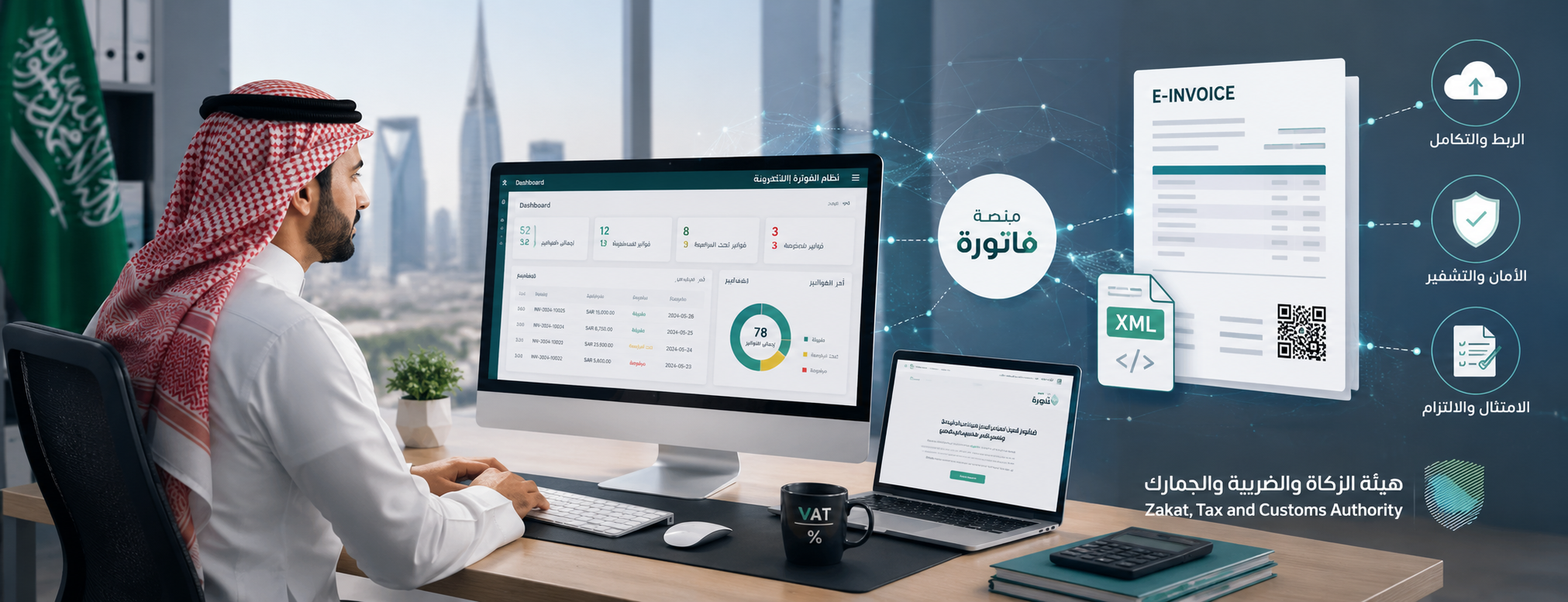
Preparing for the second phase of e-invoicing is not limited to changing the invoice design or adding a modern QR code; the facility must link its invoicing systems with the "Fatoora" platform, configure issuance units, create documents in the approved electronic format, and monitor the results of acceptance, warnings, and rejection.
The implementation process becomes more complex for facilities with multiple branches, numerous cashier devices, or online sales channels, as compliance is not limited to the main accounting software, but includes every unit that issues an electronic invoice or notice.
This guide reviews the concept of e-invoicing, the differences between the generation and storage phase and the integration and linking phase, along with XML and PDF/A-3 formats, the most prominent requirements of the e-invoice in the second phase, the method of clearance and reporting, and possible penalties. It also illustrates the role of the DigitalPro accounting system in linking invoicing with sales, inventory, accounts, and reports within the facility.
What is E-Invoicing?
An electronic invoice is an invoice document that is generated and stored electronically in a structured format through a technical solution, and includes the required tax invoice elements. Therefore, a handwritten invoice, a scanned paper, or a document created using Word or Excel and then saved as a PDF is not considered an electronic invoice that fulfills the system's concept.
E-invoicing includes:
- Sales invoices.
- Standard tax invoices.
- Simplified tax invoices.
- Credit notes.
- Debit notes.
- Tax and technical data associated with each document.
- Storing documents and operations logs.
- Sharing invoices with the customer and the authority according to the implemented phase.
The "Fatoora" system transforms invoicing from merely a separate document into structured data that systems can process, verify, and exchange electronically between the seller, the buyer, and the Zakat, Tax and Customs Authority. According to the authority, the system officially goes through two phases: the generation and storage phase, followed by the integration and linking phase.
It is not enough for the invoice to include the facility's name and tax number; it must be issued from a system that applies numbering, dating, tax, and totals rules, and record-keeping, while preventing functions that might allow deleting invoices or irregularly changing their sequence.
Discover: What is the Electronic Invoice
The Importance of E-Invoicing
The importance of e-invoicing stems from its ability to document sales and taxes in an organized manner, improve data quality, and reduce reliance on paper and repetitive manual entry.
E-invoicing helps facilities in:
- Documenting sales transactions.
- Calculating Value Added Tax (VAT).
- Organizing customer accounts.
- Linking the invoice to inventory movement.
- Recording receipts and payment methods.
- Managing returns and adjustments.
- Facilitating the preparation of tax reports.
- Keeping a log of operations.
- Tracking invoices across branches.
- Reducing data transfer errors.
- Raising auditing efficiency.
- Detecting abnormal operations.
- Enhancing the level of compliance and transparency.
When an invoice is issued through an integrated accounting system, sales, output tax, customer account, payment method, and inventory movement can be recorded simultaneously. However, if a separate program is used to print invoices, the accountant may need to re-record the transaction, which increases the likelihood of discrepancies between sales data and accounts.
E-invoicing also contributes to consumer protection; the customer receives a clear document whose data can be verified, and the facility can better track returns, paid amounts, and rights associated with the transaction.
Phases of E-Invoicing
The implementation of e-invoicing in Saudi Arabia goes through two official phases, starting with the generation and storage phase and then moving to the integration and linking phase.
| Comparison Element | Phase One | Phase Two |
|---|---|---|
| Name | Generation and Storage | Integration and Linking |
| Implementation Start | December 4, 2021 | Started gradually on January 1, 2023 |
| Integration with Fatoora Platform | Not required | Required for targeted facilities |
| Invoice Format | No specific unified technical format | XML or PDF/A-3 embedding XML |
| Additional Technical Fields | Limited | UUID, Cryptographic Stamp, and other technical elements |
| Sharing Invoice with Authority | Not required directly | Clearance or Reporting based on type |
| Application | To all subject to the scope | To groups notified by the Authority |
| Issuance Devices | E-invoicing solution | Configuring and linking all issuance units |

The first phase of e-invoicing was implemented generally for taxpayers covered by the regulation, while the second phase of e-invoicing is implemented gradually on groups determined by the authority, and each targeted facility receives a notification at least six months prior to the integration date.
Compliance with the requirements of the first phase remains mandatory for the facility even before transitioning to the integration phase; not receiving the second phase notification does not grant it the option to revert to manual invoices or create invoices using text editing software.
E-Invoice Formats (XML and PDF/A-3)
Phase two invoices are issued in XML format or using PDF/A-3 which contains an XML file within it, whereas the standard tax invoice is sent to the Fatoora platform in XML format for clearance.
XML Format
XML is a structured data format that systems can read and process automatically. It includes commercial, tax, and technical invoice fields within a specific structure, and is fundamentally not intended to be directly readable by the customer in its raw form.
XML is used for:
- Sending invoice data to the platform.
- Validating fields and rules.
- Executing clearance or reporting.
- Exchanging data between systems.
- Storing structured data for auditing purposes.
PDF/A-3 Format
PDF/A-3 is a format dedicated to long-term archiving, allowing the embedding of an XML file within the readable version. Thus, the customer receives a document clear to read while retaining the structured data within the same file.
It is not enough to create a standard PDF file; a traditional PDF may display the data visually without necessarily including the structured XML file.
ZATCA guidelines state that integration and linking phase invoices must be issued in XML or PDF/A-3 format embedding XML, and standard invoices are submitted to the Fatoora platform in XML format for clearance.
Phase One of E-Invoicing
The generation and storage phase represents the phase that mandated taxpayers to issue invoices and notes electronically and retain them through a compliant technical solution.
Among its most prominent requirements:
- Stopping the issuance of handwritten invoices.
- Not relying on Word or Excel as an invoicing solution.
- Generating invoices using an electronic system.
- Including the required invoice elements.
- Adding a QR code in cases that require it.
- Using a sequential number for invoices.
- Storing invoices and notes.
- Preventing document deletion after issuance.
- Using a credit or debit note when making a correction.
- Protecting login data.
- Keeping a log of operations.
Phase one did not require using a specific technical format like XML or PDF/A-3; an invoice could be issued in any suitable electronic format, provided it was originally generated using the electronic solution and not a scanned image of a paper invoice.
Phase Two of E-Invoicing
The integration and linking phase adds, alongside generation and storage requirements, the necessity to connect the system to the Fatoora platform and adhere to additional technical and security specifications.
It includes:
- Linking the invoicing solution to the Fatoora platform.
- Configuring each issuance unit.
- Generating XML according to the specified specifications.
- Generating a UUID identifier.
- Applying a counter and sequence for invoices.
- Using the previous invoice cryptographic hash function.
- Applying the cryptographic stamp when needed.
- Adding the advanced QR Code.
- Clearance of the standard tax invoice.
- Reporting the simplified tax invoice.
- Monitoring the platform results.
- Handling errors and warnings.
- Sharing the required version with the customer.
- Storing the invoice and platform response.
Integration with the Zakat and Income Authority in the second phase is done gradually, not on a unified date for all facilities. Therefore, the official notification received by the facility is the primary reference to determine its mandate date.
What is Phase Two of E-Invoicing?
Phase two is a technical and operational phase during which the facility's invoice issuance systems are linked to the Fatoora platform affiliated with the Zakat, Tax and Customs Authority.
This phase aims to enable the platform to:
- Receive invoices and notes.
- Verify essential fields.
- Validate the XML structure.
- Apply compliance rules.
- Clear standard invoices.
- Receive reported simplified invoices.
- Return acceptance, warning, and rejection statuses.
- Support the integrity of sequence and data.
Integration does not mean manually uploading a file at the end of the month, but it requires integration between the invoicing software and the platform via APIs, so that documents are transferred according to their type and processing mechanism.
Phase two is implemented in waves, and the authority notifies targeted taxpayers at least six months before the specified integration date. There is no unified final date that applies to all facilities; the correct date depends on the date stated in the facility's notification or the official announcement for its respective group.
Requirements for Phase Two of E-Invoicing
Phase two requirements combine commercial, tax, technical, and security aspects. It is important to test these requirements in a real working environment, rather than just stating that the software "supports ZATCA."
Among the most prominent requirements:
Compliant Technical Solution
The solution must be able to issue invoices and notes in a structured format, while preventing modification, deletion, sequence resetting, and prohibited functions.
Connection to Fatoora Platform
The system should be able to connect to the platform, send documents to it, and receive the processing results of those documents.
Configuring Issuance Units
The issuance unit may be a cashier device, a server, or a system that issues invoices. All existing units must be inventoried and configured to suit the facility's structure.
Universally Unique Identifier (UUID)
Each document receives a unique identifier that allows it to be distinguished on a technical level.
Invoice Counter
The system relies on a counter and sequence that help maintain the regularity of documents and detect any gaps.
Previous Invoice Cryptographic Hash
It works to link the invoice with its preceding invoice, supporting chain integrity and limiting possibilities of tampering.
Cryptographic Stamp
It is used to prove the source of the document and its integrity depending on the invoice type and the requirements of the used solution.
QR Code
It must include the data specified for the second phase, not merely a website link or general text.
XML Format
The fields in the XML should comply with the dictionary, specifications, and rules announced by the authority.
Invoice and Note Management
The system must support:
- Tax invoice.
- Simplified tax invoice.
- Credit note.
- Debit note.
- Referencing the original document.

Audit Log
User data, time, document status, and the response received from the platform must be saved.
Data Protection
This includes managing permissions, passwords, backups, protecting cryptographic keys, and preventing unauthorized access.
The authority provides an updated technical guide for system developers and e-invoicing solution providers, which includes invoice specifications, a data dictionary, and security requirements necessary for implementation.
Mechanism of E-Invoicing in Phase Two
The processing method differs depending on whether the invoice is a standard tax invoice or a simplified tax invoice.
Processing the Standard Tax Invoice
This invoice is mostly used in Business-to-Business (B2B) transactions, and the process is as follows:
The user inputs customer and supply data.
The software generates the invoice and the XML file.
The invoice is sent to the Fatoora platform.
The platform verifies the data and rules.
The invoice is cleared upon passing the validation process.
The platform returns the cleared XML file.
The supplier shares the cleared invoice with the buyer.
The invoice and response are stored within the system.
Clearance must be completed before sharing the final version of the standard invoice with the customer.
Processing the Simplified Tax Invoice
This invoice is often used for direct sales to consumers (B2C), and the process is as follows:
The point of sale system
generates the invoice.
The solution applies the cryptographic stamp and required QR code.
The invoice is delivered to the customer.
The invoice is sent to the Fatoora platform according to the reporting mechanism.
Reporting must be completed within the specified timeframe.
The response result is stored.
Errors or rejected invoices are handled.
The authority's guidelines state that a standard invoice is subject to clearance, whereas a simplified invoice is issued from the integrated solution and then reported. Both formats are issued in XML or PDF/A-3 embedding XML in accordance with Phase Two requirements.
Technical Integration Phases within the Facility
The steps for integrating the electronic invoice can be practically organized as follows:
Receiving the authority's notification.
Determining the compliance date.
Inventorying branches and issuance devices.
Reviewing the software version.
Cleansing facility and customer data.
Reviewing taxes and items.
Configuring issuance units.
Executing compliance tests.
Testing invoices and notes.
Transitioning to the production environment.
Monitoring transmission results.
Handling warnings and errors.
Training users.
Reviewing reports periodically.
Testing should not be limited to a single successful invoice; it is necessary to test a standard and simplified invoice, a return, a credit note, a discount, partial payment, and offline scenarios.
Importance of the E-Invoicing System in Saudi Arabia
The e-invoicing system contributes to integrating tax compliance with the facility's daily operations, rather than waiting until the end of the sales period to prepare invoice data.
Its importance is evident in:
- Organizing sales and invoices.
- Enhancing tax data quality.
- Reducing document manipulation.
- Improving returns tracking.
- Consolidating branch data.
- Supporting consumer protection.
- Facilitating audit work.
- Reducing manual entry.
- Improving report accuracy.
- Linking the invoice to inventory.
- Knowing acceptance and rejection statuses.
- Increasing the efficiency of compliance procedures.
Stores and restaurants in particular need to integrate point-of-sale systems with invoicing, because the large number of daily invoices and cashier devices makes relying on manual processing impractical.
Restaurants can rely on a Restaurant and Cafe Management System to link dine-in, takeaway, and delivery orders with inventory, accounts, and e-invoicing, in addition to demonstrating its support for accounting entries, value-added tax, and Fatoora platform requirements, alongside managing orders, inventory, and reports.
As for facilities that need to manage their branches and track their accounts remotely, they can review a cloud accounting system, while testing connection speed, backups, permissions, and the ability to work in emergency situations.
Penalties for Companies Not Complying with the E-Invoicing System
The penalty varies depending on the type of violation, how often it is repeated, and the time interval between its occurrences. Some e-invoicing violations may start with a warning, then fines move to higher levels upon repeating the violation.
Among the violations related to Phase Two:
| Violation | General Progression |
|---|---|
| Failure to integrate all invoicing systems and units | Warning, then fines starting from 10,000 SAR and progressing |
| Failure to share invoices with the authority | Warning, then fines starting from 5,000 SAR |
| Failure to include required fields | Warning, then progressive fines |
| Failure to share the invoice with the customer in the required format | Warning, then progressive fines |
| Deleting or modifying the invoice after issuance | Warning, then progressive fines |
| Failure to store invoices | Warning, then progressive fines |
| Failure to report malfunctions | Warning, then progressive fines |
| Including prohibited functions in the solution | Warning, then progressive fines |
Ready to try the system?
Start your free trial or talk to the sales team to help you choose the right solution.
In the case of violating the rule to integrate all invoicing systems, the penalty for the first time is a warning, then the fine starts at 10,000 SAR upon repeating the violation, and progresses to 15,000, 20,000, 30,000, and 40,000 SAR, and may reach 50,000 SAR after the sixth time. Linking only two out of three cashier devices is considered non-compliance with linking all systems.
As for failing to share invoices or notes with the authority according to the specified format and duration, the action begins with a warning, then fines progress from 5,000 SAR depending on the violation's classification and its recurrence.
Fines should not be viewed as the only risk; lack of system readiness can lead to:
- Stoppage of invoice issuance.
- Accumulation of rejected documents.
- Discrepancies between sales and reports.
- Some branches not being prepared.
- Difficulty in handling returns.
- Loss of response data.
- Disruption of cashier operations.
Therefore, starting preparations early is less costly than addressing issues after the integration deadline has passed.
The Role of Amaal Raqmiya Company in Achieving Compliance
Amaal Raqmiya helps facilities achieve compliance by providing accounting systems, point-of-sale, and cloud solutions that support e-invoicing and phase two, according to the features displayed on the company's website.
The role of the solution provider may include:
- Reviewing the nature of the business.
- Determining invoice types.
- Inventorying branches and points of sale.
- Configuring facility data.
- Setting up Value Added Tax.
- Configuring users and permissions.
- Preparing the system for integration.
- Testing invoices and notes.
- Training employees.
- Following up on technical issues.
- Updating the system when needed.
- Providing reports related to invoicing.
The Amaal Raqmiya website showcases its systems as ready for Phase Two compliance, which include accounting, point-of-sale, and e-invoicing.
However, choosing a system from a solution provider does not transfer the compliance responsibility away from the facility. The business owner and the accountant must ensure:
- Accuracy of the facility's data.
- Configuration of all issuance units.
- Selecting the appropriate invoice type.
- Handling rejected invoices.
- Not sharing user accounts.
- Retaining documents.
- Reviewing tax reports.
- Adhering to the notification date.
You can review Amaal Raqmiya's software solutions to explore accounting systems, POS, restaurants, hotels, CRM, and reports, then choose the solution that aligns with the workflow within your facility.
Features of the DigitalPro Accounting System in Integrating with E-Invoicing and Different Systems
DigitalPro helps in linking invoice issuance with sales, inventory, payments, journal entries, and reports, instead of running a separate invoicing program apart from the accounting system.
Among the functions that support this integration:
- Issuing invoices from sales operations.
- Managing tax and simplified invoices.
- Calculating Value Added Tax.
- Recording returns and modifications.
- Updating inventory.
- Linking the invoice to the customer's account.
- Recording payment methods.
- Managing POS devices.
- Defining user permissions.
- Extracting sales reports.
- Tracking profits and inventory.
- Creating accounting journal entries.
- Managing branches and warehouses.
- Providing cloud solutions.
- Supporting integration with multiple systems.
Using an integrated accounting system helps reduce discrepancies between cashier numbers, inventory, and accounts, as a result of data transferring within an interconnected operational cycle.
You can also benefit from the smart reporting software to track sales, invoices, returns, inventory, customers, and suppliers, which helps management and the accountant review data before preparing the tax return or closing the period.
Before final clearance, the system should be tested using realistic scenarios:
Issuing a simplified invoice from the cashier.
Issuing a tax invoice to a company.
Executing a partial return.
Issuing a credit note.
Applying a discount.
Using more than one payment method.
Closing a cashier shift.
Reviewing the XML file.
Verifying the QR Code.
Tracking the invoice status.
Testing offline mode.
Adding a new issuance device.
Extracting a tax report.
Reconciling sales with journal entries.
You can register and get a trial period or book your consultation to determine the number of branches, issuance units, and specific integration requirements for your business.
Frequently Asked Questions
What is the difference between Phase One and Phase Two of the ZATCA program?
Phase one is the generation and storage phase, which mandates using an electronic system to create and store invoices and notes. Phase two is the integration and linking phase, adding the connection of the system to the Fatoora platform, using XML, applying technical and security elements, in addition to executing clearance or reporting.
What is Phase Two of E-Invoicing in Saudi Arabia?
It is the phase where the facility's invoicing systems are linked to the Fatoora platform of the Zakat, Tax and Customs Authority. Its implementation began gradually on January 1, 2023, on groups that are notified at least six months prior to the integration date.
What is Phase Three of E-Invoicing?
As of the preparation of this guide, official e-invoicing sources show only two phases, which are the generation and storage phase and the integration and linking phase. There is no officially announced phase under the name "Phase Three of E-Invoicing." Confusion may occur between the successive groups of Phase Two and the existence of an independent third phase.
When is the deadline for Phase Two of the ZATCA e-invoicing system?
There is no unified deadline that applies to all facilities. Phase two is implemented gradually in groups, and an integration date is set for each group, with targeted facilities notified at least six months before the date. Therefore, you must rely on the date stated in your facility's notification or the official announcement for its group, and not on the date of another group.
What is the format of the tax invoice?
The tax invoice includes supplier and buyer data, tax number, invoice number and issuance date, details of goods or services, quantity, price, discount, tax rate and amount, and the total.
In phase two, it is issued in XML format or PDF/A-3 embedding XML, and includes additional technical fields. As for the version intended for customer reading, it can be displayed in a structured manner, provided it matches the XML data.
What is the maximum limit allowed for electronic invoices?
There is no general maximum limit for the value of an electronic invoice. A simplified invoice can be issued to an individual regardless of the supply value.
However, if a simplified invoice is issued in a B2B transaction, it can be used according to the case described in the guidelines when the taxable supply value is less than 1,000 SAR. This does not mean there is an upper ceiling for e-invoicing itself, but rather it is related to choosing the invoice type.
How do I know if an electronic invoice is valid?
Make sure of:
- It is issued from an electronic system.
- Presence of supplier data and tax number.
- Validity of the date and sequential number.
- Clarity of supply details.
- Accuracy of tax and totals.
- Presence of a QR Code where applicable.
- Matching of the readable copy with the XML.
- No modification to the invoice after its issuance.
- Success of the clearance or reporting process.
The Zakat, Tax and Customs Authority also provides a service to verify the validity of the invoice by scanning the QR code.
What is the fine for failing to integrate with the Zakat and Income Authority?
The violation of not integrating all invoicing systems starts with a warning the first time. Upon repeating the violation after the specified period, the fine starts at 10,000 SAR, then progresses to 15,000, 20,000, 30,000, and 40,000 SAR, and may reach 50,000 SAR after the sixth time.
What is the penalty for late payment of VAT?
The late payment fine is tied to the prevailing regulatory text and the date the obligation arose. Updates have been made to penalty rules, so one should review the authority's notification and the facility's account before determining the final percentage.
The latest available reports from the authority indicate updates that included reducing the late payment fine from 5% to 2%, with specific provisions and caps in place, while previous obligations may be subject to different rules depending on when they originated.
What is the penalty for not registering for E-Invoicing?
There is no independent general registration process under the name "Registration for E-Invoicing." When the conditions are met, the facility is registered for VAT, then it complies with e-invoicing requirements, and once targeted in the second phase, it works on preparing its systems for integration.
The fine for not registering for Value Added Tax within the statutory period is 10,000 SAR. As for e-invoicing violations themselves, they are subject to a progressive classification based on the type of violation and its recurrence frequency.
What is the integration and linking phase in E-Invoicing?
It is the official name for Phase Two. During it, invoice issuance units are linked to the Fatoora platform, documents are issued in a structured format, standard invoices are cleared, or simplified invoices are reported, alongside adding the required fields and security elements.
E-Invoice Specifications (XML and PDF/A-3)
XML is the structured format that contains the invoice data and can be read and processed by the platform and systems. As for PDF/A-3, it is a version designated for reading and long-term archiving, and it can contain an XML file inside it.
In Phase Two:
- The invoice is issued in XML or PDF/A-3 embedding XML.
- The standard invoice is submitted to the platform in XML format.
- The visual version must match the structured data.
- The required tax and technical fields must be included.
- A regular PDF file is not considered a substitute for XML.
Conclusion:
Phase Two of e-invoicing represents a transition from merely issuing and storing invoices to achieving direct integration with the Fatoora platform. Compliance requires a compatible technical system, clean data, and the configuration of all issuance units, along with testing invoices and notes, and continuously monitoring platform statuses.
Do not delay preparations until close to the integration deadline; rather, inventory branches and cashier devices, review invoice types, and test XML, QR codes, returns, and offline scenarios.
Start managing your business with complete flexibility
Try Amaal Raqmiya for free. Start issuing your ZATCA-compliant electronic invoices in minutes.