
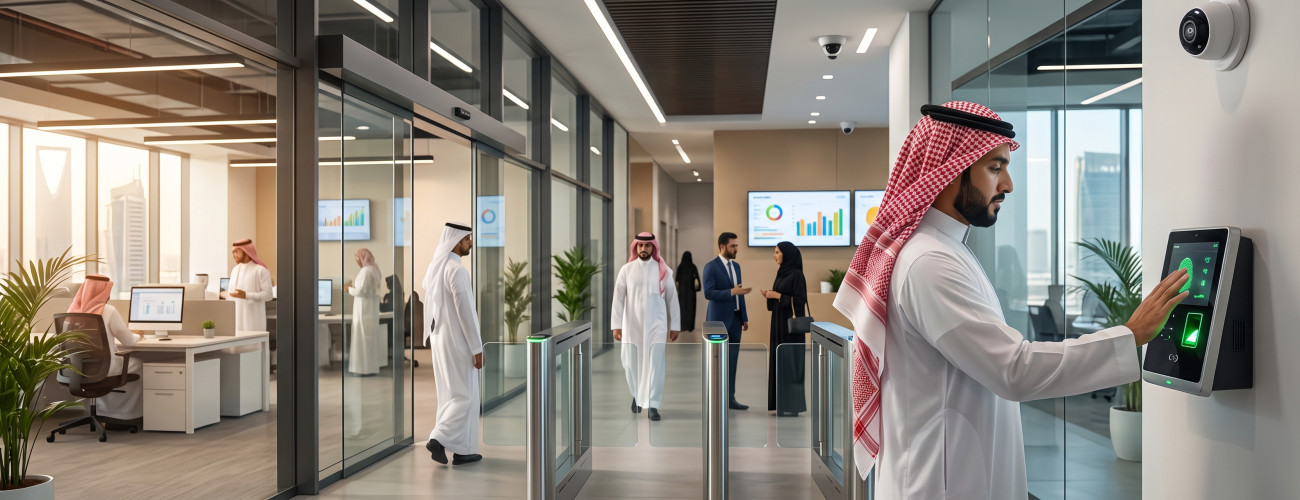
Companies seeking to control the actual working hours of their employees increasingly rely on a smart attendance and departure system, which helps them track delays, absences, overtime, and leaves, without the need to review paper records or manually update Excel spreadsheets at the end of each month.
The importance of attendance management is not limited to recording check-in and check-out times, but extends to utilizing this data to answer important administrative questions, such as: Who are the late employees today? What is the total number of overtime hours? Is the employee's absence linked to an approved leave? How many actual working hours were there during the month? And what is the impact of attendance data on salaries, allowances, and deductions?
Hence, an employee attendance and departure system should provide capabilities that go beyond time tracking, by collecting attendance data, shifts, leaves, employee files, permissions, and reports within a unified work environment.
AamalSoft provides the Digital Time system, which combines the functions of employee attendance and departure management with the capabilities of tracking employee files, shifts, leaves, attendance, salaries, and reports.
What is a smart attendance and departure system?
A smart attendance and departure system refers to a digital software that records employees' check-in and check-out times, then analyzes these movements and compares them with work schedules, leaves, and company policies, aiming to determine actual working hours and monitor delays, absences, and overtime.
The function of the modern system does not stop at documenting the employee's arrival time, but extends to linking attendance records with a set of data, most notably:
- Employee data.
- Affiliated branch.
- Department.
- Approved work schedule.
- Assigned shift.
- Leaves.
- Absence cases.
- Delay cases.
- Early departure.
- Overtime hours.
- Allowances and deductions.
- Daily and monthly reports.
Digital Time allows adjusting branches, departments, salaries, and job hierarchy data, in addition to organizing work schedules, leaves, and holidays, and managing user permissions in a way that suits the facility's needs.
How does the employee attendance and departure system work?
The working mechanism begins by recording the employee's entry or exit movement, and then the system compares the timing of the movement with their predefined work schedule.
For example, when an employee's shift starts at 8:00 AM, while they check in at 8:20, the system can determine the delay duration based on the rules and settings approved by the facility.
The stages of processing attendance and departure can be summarized in the following steps:
- Identifying the employee and linking them to their work schedule.
- Documenting the check-in time.
- Recording the check-out time.
- Calculating total working hours.
- Matching recorded movements with the specified shift.
- Calculating the duration of delay or early departure.
- Calculating overtime hours according to approved settings.
- Reviewing absence and linking it to leaves or exceptions.
- Compiling results and preparing daily or monthly reports.
Digital Time processes attendance data through a daily and monthly portfolio, which includes actual working hours, delay durations, and overtime.
What are the methods of recording attendance and departure?
The method of recording attendance is determined according to the nature of the work and the facility's needs. Therefore, it is important to choose an employee attendance and departure management software that offers diverse options for entering attendance data.
Common recording methods include the following:
- Fingerprint devices.
- Manual entry when needed.
- Importing attendance and departure files.
- Integration with other systems for recording work hours.
Digital Time supports more than one mechanism for recording attendance, including integration with fingerprint devices, manual entry, and importing digital files, while documenting the date and time of each movement.
These options give companies that have multiple branches or rely on different methods for recording employee attendance greater flexibility in organizing attendance data.
You can view the available recording capabilities within the Digital Time attendance and departure management system.
What are the most important features of a smart attendance and departure system?
The functions of effective attendance and departure systems are not limited to proving the employee's presence, but include organizing and analyzing data to support management's tracking of working hours and job commitment.

Shift and Schedule Management
It is essential for the system to provide flexibility in dealing with different work patterns, including:
- Fixed working hours.
- Morning and evening shifts.
- Different work schedules between departments.
- Variation in working hours between branches.
- Official holidays.
- Special cases and exceptions.
The importance of these capabilities stands out in restaurants, stores, factories, hotels, and facilities where employee working hours vary and not all workers adhere to a unified schedule.
Digital Time provides tools to organize work periods, leaves, and holidays, with the ability to customize settings according to branches and departments.
Calculating Delay and Absence
Instead of examining each employee's record separately, the system can help monitor a set of attendance commitment indicators, such as:
- Number of times late for work.
- Total duration of delay.
- Days of absence.
- Cases of early departure.
- Incomplete working hours.
This helps management identify and review recurring patterns of delay and absence, rather than relying on individual observations and manual records.
Overtime Management
Many facilities need to determine the working hours performed by employees outside basic work hours.
The system helps record these hours and calculate them within the daily and monthly portfolio according to the facility's settings. Digital Time also processes actual working hours, delays, and overtime data within attendance records.
How does the attendance and departure system relate to leaves?
It is important that the system does not automatically classify every day without an attendance record for the employee as an absence day.
If the employee has an approved leave, it should be linked to the work schedule so the system can determine the reason for not recording an attendance movement during that period.
For this reason, the employee attendance and departure system needs to provide capabilities to manage the following elements:
- Leave classifications.
- Leave start and end dates.
- Available leave balances.
- Exceptions.
- Official holidays.
- Leave reports.
Digital Time supports organizing leaves, holidays, and exceptions, as well as tracking leave balances and linking them to the employee's file.
Ready to try the system?
Start your free trial or talk to the sales team to help you choose the right solution.
What is the relationship between the attendance and departure system and salaries?
Linking attendance data and salaries is a crucial aspect of integrated employee management systems.
Attendance and departure data can reflect on a number of financial elements, including:
- Financial deductions.
- Overtime pay.
- Absence.
- Delay.
- Allowances.
- Employee dues.
When attendance records and salary data are distributed across separate files, the HR manager may need to transfer the numbers and enter them manually, which increases the likelihood of errors.
However, when using an integrated system, attendance records can be utilized as a data source that helps prepare and review financial dues.
Digital Time from AamalSoft provides a system that combines employee files, attendance, salaries, allowances, and deductions in one platform, with the ability to prepare statements and reports related to this information.
How does the system help manage multiple branches?
When a company manages several branches, a fundamental question arises about the possibility of monitoring employee attendance in different locations through a unified platform.
It is important for the system to allow specifying the following data:
- Branch.
- Department.
- Employees affiliated with each department or branch.
- Working hours.
- Managers in charge.
- Access and editing permissions.
Thus, the manager can review the level of commitment to attendance in different branches and compare data without needing to collect separate records from each location.
Digital Time's settings allow creating branches and departments and organizing users and permissions, which helps multi-site facilities manage their employee structure in an organized manner.
If the facility needs to link employee management with other accounting, customer, or specialized activity systems, you can explore the available solutions within business management systems and services.
What are the most important reports of the employee attendance and departure management software?
Reports help turn fingerprint and attendance records into information that management can utilize in monitoring attendance and making administrative decisions.
Reports that interest facilities include the following:
- Daily attendance record.
- Delay reports.
- Absence reports.
- Early departure cases.
- Actual working hours.
- Overtime hours.
- Leave data.
- Monthly attendance portfolio.
- Payrolls.
- Employee evaluation reports.
Digital Time provides reports related to attendance, leaves, salaries, and performance, along with processing attendance data on a daily and monthly level.
This allows management to transition from merely verifying an employee's presence to studying their actual working hours during the month and reviewing the frequency of delays.
What is the difference between a fingerprint device and an attendance and departure system?
The function of a fingerprint device is to document employee movements, while the attendance and departure system handles analyzing, processing, and converting these movements into records and reports.
| Fingerprint Device | Attendance and Departure System |
|---|---|
| Documents check-in and check-out times | Analyzes and processes check-in and check-out records |
| Records the movement's timing | Calculates delay and absence |
| Usually does not handle leave management | Links attendance records with leaves |
| Usually does not provide comprehensive employee data management | Links attendance data to the job profile |
| Provides limited reports | Provides more comprehensive reports and analyses |

Therefore, owning a fingerprint device within the facility does not necessarily mean having an integrated attendance and departure management system.
When does a company need a smart attendance and departure system?
The need for an attendance and departure system increases when the facility faces recurring challenges in attendance management, such as:
- Difficulty identifying late employees.
- Recurring errors in calculating working hours.
- Multiple shifts and varying schedules.
- Existence of multiple branches.
- Relying on manual calculation for overtime.
- Mismatch between leave data and attendance records.
- Taking too much time to prepare attendance reports.
- Difficulty reviewing attendance records before payroll preparation.
- Lack of clear organization of user permissions.
- Relying on a single employee to manage all data.
The higher the number of employees and branches, the greater the importance of automating attendance and departure procedures and organizing attendance data.
How to choose the best attendance and departure system?
Before adopting a new system, it is useful to test it through actual work scenarios rather than just reviewing the announced features list.
Check its ability to perform the following tasks:
Defining Employees and Branches
Make sure you can add an employee and link them to their branch, department, job title, and specific work schedule.
Supporting Shifts
Test a scenario of an employee working a morning shift and another working an evening shift, and verify the system's ability to process each one's data according to the assigned shift.
Processing Delay and Overtime
Record a check-in movement after the shift starts, then a check-out movement after it ends, and review how delays and overtime are calculated.
Leave Management
Add an approved leave for an employee, and verify that the system does not record them as absent during the leave period.
Extracting Reports
Request a daily and a monthly report, and test the readability of the data and the ability to export it.
Permissions
If your company's requirements necessitate restricting data access, verify that a branch manager cannot view or edit other branches' information without appropriate permission.
You can register for the trial period and test the system on real employees, shifts, leaves, and delay cases, before implementing it within the facility.
How does Digital Time help in managing attendance and departure?
Digital Time from AamalSoft offers a set of functions that go beyond merely recording employees' check-in and check-out times, providing tools that help organize attendance data and HR affairs.
The most notable functions available in the system include the following:
- Setting up branches and departments.
- Defining salaries and job hierarchy.
- Creating employee files.
- Organizing work schedules.
- Managing leaves and holidays.
- Recording attendance using multiple methods.
- Integration with fingerprint devices.
- Processing delay data.
- Calculating working hours and overtime.
- Managing allowances and deductions.
- Archiving employee documents.
- Determining user permissions.
- Preparing daily and monthly attendance portfolios.
- Extracting attendance, leaves, salaries, and performance reports.
Ready to try the system?
Start your free trial or talk to the sales team to help you choose the right solution.
Based on these functions, Digital Time can be included among the systems worth evaluating when looking for a smart solution to manage attendance and departure, combining attendance organization with a broader set of HR tasks.
Frequently Asked Questions about the Attendance and Departure System
What is meant by a smart attendance and departure system?
It is a digital software that records employees' check-in and check-out times, matches them with work schedules and leaves, then processes working hours, delays, absences, and overtime, displaying the results in administrative reports.
What is the function of the employee attendance and departure system?
It is used to organize employees' work hours, document check-in and check-out movements, and manage shifts, leaves, and exceptions, while providing periodic reports on attendance and departure.
Does the attendance and departure system support connection with fingerprint devices?
Yes, provided the system supports integration with the used fingerprint devices. Digital Time offers the ability to link with fingerprint devices, as well as manual entry and importing attendance files.
Can the software calculate delays and overtime?
Digital Time supports processing actual working hours, delays, and overtime within the daily and monthly portfolio, according to the settings approved in the system.
Can leaves be managed through the same attendance and departure system?
Yes, an integrated system allows organizing leaves, holidays, and exceptions, linking them to employee data and attendance records.
Does the system support managing employee attendance across multiple branches?
Yes, as long as the system supports organizing branches and departments and managing permissions. Digital Time allows defining branches and departments and organizing users within its settings.
What is the difference between an attendance software and an employee management software?
An attendance software focuses on recording work hours, check-ins, and check-outs, while an employee management software extends to broader tasks including job files, leaves, salaries, documents, and reports. An integrated system can combine these functions.
Conclusion
Choosing a smart attendance and departure system should not depend solely on its ability to receive data from a fingerprint device, but should also consider its capabilities in processing that data and utilizing it in attendance management.
It is important for the system to link attendance records with work schedules, shifts, leaves, delays, and overtime, and to provide reports that help management monitor job commitment and actual working hours, instead of manually compiling records at the end of each month.
Digital Time from AamalSoft provides a set of functions that include managing employees, schedules, leaves, attendance, salaries, allowances, deductions, and reports within a single platform.
You can also explore the available business management solutions, then register for the trial period and test the system using actual data for employees, shifts, leaves, and delays, before adopting it in your company.
Start managing your business with complete flexibility
Try AamalSoft for free. Start issuing your ZATCA-compliant electronic invoices in minutes.