
Sales and Accounting Software: How Do You Connect Sales to Your Accounts?

Business owners in Saudi Arabia look for sales and accounting software because accounting decisions are directly connected to sales, collections, expenses, and financial control. Choosing a system, however, does not begin with the product name; it begins with defining what the business needs and how information moves between employees, transactions, and reports. This guide explains how to connect sales to accounting in practical terms. It includes examples to help you make an informed decision without relying on unsupported promotional claims.
We will use the example of a retail store that operates a cash register and a separate accounting system to explain the idea. We will then connect that example to testing criteria, costs, and compliance in Saudi Arabia. If your business operates differently, you can apply the same approach after adjusting for transaction volume, the number of users, and branches. The aim is to turn a comparison into a clear list of requirements that you can verify before signing a contract.
To explore relevant business solutions, review accounting, restaurant management, and point-of-sale solutions, then confirm which features suit your business.
What Is Sales and Accounting Software?
When considering the concept and its practical application, a general answer is not enough: the choice must be connected to the establishment’s real operations. For a retail store that uses a cash register and a separate accounting system, the review starts by identifying who creates each document, who checks it, and when its effect appears in the accounts. If this sequence cannot be traced easily, errors may recur even when the software has a modern interface. The test checklist should also cover exceptional cases, such as amendments after approval, returns, and different payment methods.
Sales and accounting software can help organize this area when its features and settings are appropriate. However, you should assess the system using a measurable example: How long does it take to complete a transaction? Does it appear in the correct report? Can the manager check the source document? Also find out what happens if an incorrect amount is entered and whether permissions prevent unauthorized changes or preserve an audit trail.
Why Is Sales and Accounting Software Important for Business Management?
When considering how the choice affects financial decisions, a general answer is not enough: the choice must be connected to the establishment’s real operations. For a retail store that uses a cash register and a separate accounting system, the review starts by identifying who creates each document, who checks it, and when its effect appears in the accounts. If this sequence cannot be traced easily, errors may recur even when the software has a modern interface. The test checklist should also cover exceptional cases, such as amendments after approval, returns, and different payment methods.
Sales and accounting software can help organize this area when its features and settings are appropriate. However, you should assess the system using a measurable example: How long does it take to complete a transaction? Does it appear in the correct report? Can the manager check the source document? Also find out what happens if an incorrect amount is entered and whether permissions prevent unauthorized changes or preserve an audit trail.
Because implementation is affected by the sales cycle, you can review the sales system to see what the product page says about invoicing and transactions.
If your business uses a cash register, look at the point-of-sale system and check hardware and returns requirements.
Before making a final comparison, review plans and pricing for available subscription details.
From the Cash Register to the Accounts: An Invoice’s Journey
When considering the journey of an invoice from the cash register to the accounts, a general answer is not enough: the choice must be connected to the establishment’s real operations. For a retail store that uses a cash register and a separate accounting system, the review starts by identifying who creates each document, who checks it, and when its effect appears in the accounts. If this sequence cannot be traced easily, errors may recur even when the software has a modern interface. The test checklist should also cover exceptional cases, such as amendments after approval, returns, and different payment methods.
Sales and accounting software can help organize this area when its features and settings are appropriate. However, you should assess the system using a measurable example: How long does it take to complete a transaction? Does it appear in the correct report? Can the manager check the source document? Also find out what happens if an incorrect amount is entered and whether permissions prevent unauthorized changes or preserve an audit trail.
When comparing solutions, ask the provider to demonstrate how the system handles the journey of an invoice from the cash register to the accounts in a real scenario, rather than merely describing it in marketing materials. Start with an ordinary case, then test a more complicated one and compare the outcome with your existing process. This reduces the risk of choosing software that adds manual work or lacks a report management needs.
It is also helpful to document responsibilities: Who enters the data? Who approves it? Who reconciles it against bank or inventory records? Who follows up on exceptions? Software cannot solve an administrative problem when nobody has been assigned responsibility for it. Success in the journey of an invoice from the cash register to the accounts therefore depends on training and documented procedures as much as technology. After implementation, review the results weekly at first, then choose a frequency appropriate to your business.
For businesses that rely on suppliers, reviewing the purchasing system can help define purchasing-cycle requirements.
Connecting Payments and Collections
When considering linking payments and collections, a general answer is not enough: the choice must be connected to the establishment’s real operations. For a retail store that uses a cash register and a separate accounting system, the review starts by identifying who creates each document, who checks it, and when its effect appears in the accounts. If this sequence cannot be traced easily, errors may recur even when the software has a modern interface. The test checklist should also cover exceptional cases, such as amendments after approval, returns, and different payment methods.
Sales and accounting software can help organize this area when its features and settings are appropriate. However, you should assess the system using a measurable example: How long does it take to complete a transaction? Does it appear in the correct report? Can the manager check the source document? Also find out what happens if an incorrect amount is entered and whether permissions prevent unauthorized changes or preserve an audit trail.
When comparing solutions, ask the provider to demonstrate how the system handles linking payments and collections in a real scenario, rather than merely describing it in marketing materials. Start with an ordinary case, then test a more complicated one and compare the outcome with your existing process. This reduces the risk of choosing software that adds manual work or lacks a report management needs.
It is also helpful to document responsibilities: Who enters the data? Who approves it? Who reconciles it against bank or inventory records? Who follows up on exceptions? Software cannot solve an administrative problem when nobody has been assigned responsibility for it. Success in linking payments and collections therefore depends on training and documented procedures as much as technology. After implementation, review the results weekly at first, then choose a frequency appropriate to your business.
If your business includes delivery and sales representatives, compare the distribution system with your operational requirements before deciding.
Returns, Discounts, and Taxes
When considering returns, discounts, and taxes, a general answer is not enough: the choice must be connected to the establishment’s real operations. For a retail store that uses a cash register and a separate accounting system, the review starts by identifying who creates each document, who checks it, and when its effect appears in the accounts. If this sequence cannot be traced easily, errors may recur even when the software has a modern interface. The test checklist should also cover exceptional cases, such as amendments after approval, returns, and different payment methods.
Sales and accounting software can help organize this area when its features and settings are appropriate. However, you should assess the system using a measurable example: How long does it take to complete a transaction? Does it appear in the correct report? Can the manager check the source document? Also find out what happens if an incorrect amount is entered and whether permissions prevent unauthorized changes or preserve an audit trail.
When comparing solutions, ask the provider to demonstrate how the system handles returns, discounts, and taxes in a real scenario, rather than merely describing it in marketing materials. Start with an ordinary case, then test a more complicated one and compare the outcome with your existing process. This reduces the risk of choosing software that adds manual work or lacks a report management needs.
It is also helpful to document responsibilities: Who enters the data? Who approves it? Who reconciles it against bank or inventory records? Who follows up on exceptions? Software cannot solve an administrative problem when nobody has been assigned responsibility for it. Success in returns, discounts, and taxes therefore depends on training and documented procedures as much as technology. After implementation, review the results weekly at first, then choose a frequency appropriate to your business.
You can book a demonstration tailored to your business and ask the provider to demonstrate a scenario similar to your own business.
How Sales Affect Inventory
When considering the effect of sales on inventory, a general answer is not enough: the choice must be connected to the establishment’s real operations. For a retail store that uses a cash register and a separate accounting system, the review starts by identifying who creates each document, who checks it, and when its effect appears in the accounts. If this sequence cannot be traced easily, errors may recur even when the software has a modern interface. The test checklist should also cover exceptional cases, such as amendments after approval, returns, and different payment methods.
Sales and accounting software can help organize this area when its features and settings are appropriate. However, you should assess the system using a measurable example: How long does it take to complete a transaction? Does it appear in the correct report? Can the manager check the source document? Also find out what happens if an incorrect amount is entered and whether permissions prevent unauthorized changes or preserve an audit trail.
When comparing solutions, ask the provider to demonstrate how the system handles the effect of sales on inventory in a real scenario, rather than merely describing it in marketing materials. Start with an ordinary case, then test a more complicated one and compare the outcome with your existing process. This reduces the risk of choosing software that adds manual work or lacks a report management needs.
It is also helpful to document responsibilities: Who enters the data? Who approves it? Who reconciles it against bank or inventory records? Who follows up on exceptions? Software cannot solve an administrative problem when nobody has been assigned responsibility for it. Success in the effect of sales on inventory therefore depends on training and documented procedures as much as technology. After implementation, review the results weekly at first, then choose a frequency appropriate to your business.
For questions about using the system, review the system’s frequently asked questions, then note anything that needs clarification from the support team.
Reconciliation and Daily Closing
When considering reconciliation and daily closing, a general answer is not enough: the choice must be connected to the establishment’s real operations. For a retail store that uses a cash register and a separate accounting system, the review starts by identifying who creates each document, who checks it, and when its effect appears in the accounts. If this sequence cannot be traced easily, errors may recur even when the software has a modern interface. The test checklist should also cover exceptional cases, such as amendments after approval, returns, and different payment methods.
Sales and accounting software can help organize this area when its features and settings are appropriate. However, you should assess the system using a measurable example: How long does it take to complete a transaction? Does it appear in the correct report? Can the manager check the source document? Also find out what happens if an incorrect amount is entered and whether permissions prevent unauthorized changes or preserve an audit trail.
When comparing solutions, ask the provider to demonstrate how the system handles reconciliation and daily closing in a real scenario, rather than merely describing it in marketing materials. Start with an ordinary case, then test a more complicated one and compare the outcome with your existing process. This reduces the risk of choosing software that adds manual work or lacks a report management needs.
It is also helpful to document responsibilities: Who enters the data? Who approves it? Who reconciles it against bank or inventory records? Who follows up on exceptions? Software cannot solve an administrative problem when nobody has been assigned responsibility for it. Success in reconciliation and daily closing therefore depends on training and documented procedures as much as technology. After implementation, review the results weekly at first, then choose a frequency appropriate to your business.
If your business is project-based, explore construction management solutions as a specialized use case rather than a universal substitute for every company.
Profitability Reports Versus Sales Reports
When considering profitability reports versus sales reports, a general answer is not enough: the choice must be connected to the establishment’s real operations. For a retail store that uses a cash register and a separate accounting system, the review starts by identifying who creates each document, who checks it, and when its effect appears in the accounts. If this sequence cannot be traced easily, errors may recur even when the software has a modern interface. The test checklist should also cover exceptional cases, such as amendments after approval, returns, and different payment methods.
Sales and accounting software can help organize this area when its features and settings are appropriate. However, you should assess the system using a measurable example: How long does it take to complete a transaction? Does it appear in the correct report? Can the manager check the source document? Also find out what happens if an incorrect amount is entered and whether permissions prevent unauthorized changes or preserve an audit trail.
When comparing solutions, ask the provider to demonstrate how the system handles profitability reports versus sales reports in a real scenario, rather than merely describing it in marketing materials. Start with an ordinary case, then test a more complicated one and compare the outcome with your existing process. This reduces the risk of choosing software that adds manual work or lacks a report management needs.
It is also helpful to document responsibilities: Who enters the data? Who approves it? Who reconciles it against bank or inventory records? Who follows up on exceptions? Software cannot solve an administrative problem when nobody has been assigned responsibility for it. Success in profitability reports versus sales reports therefore depends on training and documented procedures as much as technology. After implementation, review the results weekly at first, then choose a frequency appropriate to your business.
You can review Nezami registration options after confirming which functions are included in the plan.

How to Test the Integration in Practice
When considering testing the integration in practice, a general answer is not enough: the choice must be connected to the establishment’s real operations. For a retail store that uses a cash register and a separate accounting system, the review starts by identifying who creates each document, who checks it, and when its effect appears in the accounts. If this sequence cannot be traced easily, errors may recur even when the software has a modern interface. The test checklist should also cover exceptional cases, such as amendments after approval, returns, and different payment methods.
Sales and accounting software can help organize this area when its features and settings are appropriate. However, you should assess the system using a measurable example: How long does it take to complete a transaction? Does it appear in the correct report? Can the manager check the source document? Also find out what happens if an incorrect amount is entered and whether permissions prevent unauthorized changes or preserve an audit trail.
When comparing solutions, ask the provider to demonstrate how the system handles testing the integration in practice in a real scenario, rather than merely describing it in marketing materials. Start with an ordinary case, then test a more complicated one and compare the outcome with your existing process. This reduces the risk of choosing software that adds manual work or lacks a report management needs.
It is also helpful to document responsibilities: Who enters the data? Who approves it? Who reconciles it against bank or inventory records? Who follows up on exceptions? Software cannot solve an administrative problem when nobody has been assigned responsibility for it. Success in testing the integration in practice therefore depends on training and documented procedures as much as technology. After implementation, review the results weekly at first, then choose a frequency appropriate to your business.
To compare other industry-specific use cases, review hotel management solutions only if your requirements relate to the hospitality sector.
When Do You Need a Unified System?
When considering when a unified system is needed, a general answer is not enough: the choice must be connected to the establishment’s real operations. For a retail store that uses a cash register and a separate accounting system, the review starts by identifying who creates each document, who checks it, and when its effect appears in the accounts. If this sequence cannot be traced easily, errors may recur even when the software has a modern interface. The test checklist should also cover exceptional cases, such as amendments after approval, returns, and different payment methods.
Sales and accounting software can help organize this area when its features and settings are appropriate. However, you should assess the system using a measurable example: How long does it take to complete a transaction? Does it appear in the correct report? Can the manager check the source document? Also find out what happens if an incorrect amount is entered and whether permissions prevent unauthorized changes or preserve an audit trail.
When comparing solutions, ask the provider to demonstrate how the system handles when a unified system is needed in a real scenario, rather than merely describing it in marketing materials. Start with an ordinary case, then test a more complicated one and compare the outcome with your existing process. This reduces the risk of choosing software that adds manual work or lacks a report management needs.
It is also helpful to document responsibilities: Who enters the data? Who approves it? Who reconciles it against bank or inventory records? Who follows up on exceptions? Software cannot solve an administrative problem when nobody has been assigned responsibility for it. Success in when a unified system is needed therefore depends on training and documented procedures as much as technology. After implementation, review the results weekly at first, then choose a frequency appropriate to your business.
If you need to confirm product details, discuss your business requirements in a demonstration and prepare a list of questions in advance.
Checklist Before Making a Decision
A Practical Test
Test the system with documents similar to those you use: a regular invoice, a discount, a return, a partial payment, and a customer with an existing balance. Do not settle for a preconfigured demonstration. Ask the provider to perform the scenario in front of you, then open the report where the result should appear. This makes the quality of the integration clearer than general claims.
The Management Decision
The most important question for management is not whether figures appear quickly, but whether they can be explained and traced to their sources. If a sales or expense figure changes, the responsible person should be able to identify the related document and the permissions of the person who entered it. This makes reporting a management tool rather than just an attractive dashboard.
Regulatory Requirements
In Saudi Arabia, you should verify the electronic invoicing requirements currently applicable to your business. It is not enough for a provider to describe its software as 'approved.' The Zakat, Tax and Customs Authority (ZATCA) explains that its solution providers directory is indicative and does not constitute official approval of every solution. Ask which requirements the product supports, how updates are handled, and what integration arrangements are available if Phase Two applies.
The guide to choosing accounting software compatible with electronic invoicing can help clarify compliance considerations. Avoid duplicating an existing page’s search intent when creating a new article.
For a broader overview of the services, visit the Nezami home page before selecting the commercial page most relevant to your topic.
Verify official requirements through the ZATCA solution providers directory. The directory is indicative and does not constitute official approval of each product.
Ready to Try the System?
Start your free trial or speak with the sales team for help choosing the right solution.
Frequently Asked Questions
What is the first step in choosing sales and accounting software?
Start by listing daily operations and the number of users and branches, then prepare three real test cases. Do not compare prices before confirming that the essential functions are covered.
Is sales and accounting software suitable only for small businesses?
That depends on plan limits and the options for scaling and integration. Check user and branch limits and reporting features before deciding whether a solution suits your business size.
Is describing software as approved enough to establish electronic invoicing compliance?
No. You must verify the technical requirements that apply to your business. ZATCA explains that its solution providers directory is indicative and does not constitute official approval of every solution.
How can I test the software before subscribing?
Create an invoice, a return, and a partial payment, then check how these transactions appear in the accounts and reports. Ask about permissions, backups, and data export.
Can accounting be integrated with sales and inventory?
Many solutions support this integration, but its scope varies. Test item updates, accounting entries, taxes, and reconciliations before relying on the system.
Conclusion and Next Steps
Choosing sales and accounting software is not a race to find the longest feature list. It is a decision about data accuracy, ease of operation, and the ability to review transactions. If you start by defining the problem, testing real operations, and reviewing costs, compliance, and permissions, the more suitable options will become clearer without absolute promises. For a retail store that uses a cash register and a separate accounting system, the priority is to verify that data can move correctly from sales transactions into the accounts and that management can understand the reports.
Before publishing or subscribing, verify plan details, product features, and updates from the official authority. If you already have a published page that covers the same search intent, improving and expanding that page is preferable to creating a competing article. This benefits both readers and the site's content structure.
Once you have identified your needs and want to proceed, start on the registration page after checking suitability, or ask the website team for clarification before deciding.
SEO Information and Publishing Plan
SEO Title: Sales and Accounting Software: How Do You Connect Sales to Accounting?
Meta Description: A guide to sales and accounting software in Saudi Arabia, covering practical selection criteria, features, costs, and questions to ask before choosing a system that suits your business.
URL Slug: sales-and-accounting-integration
Primary Keyword: sales and accounting software
Secondary Keywords: sales and accounting system, sales-accounting integration, invoicing and accounting software, customer account management, accounting sales system
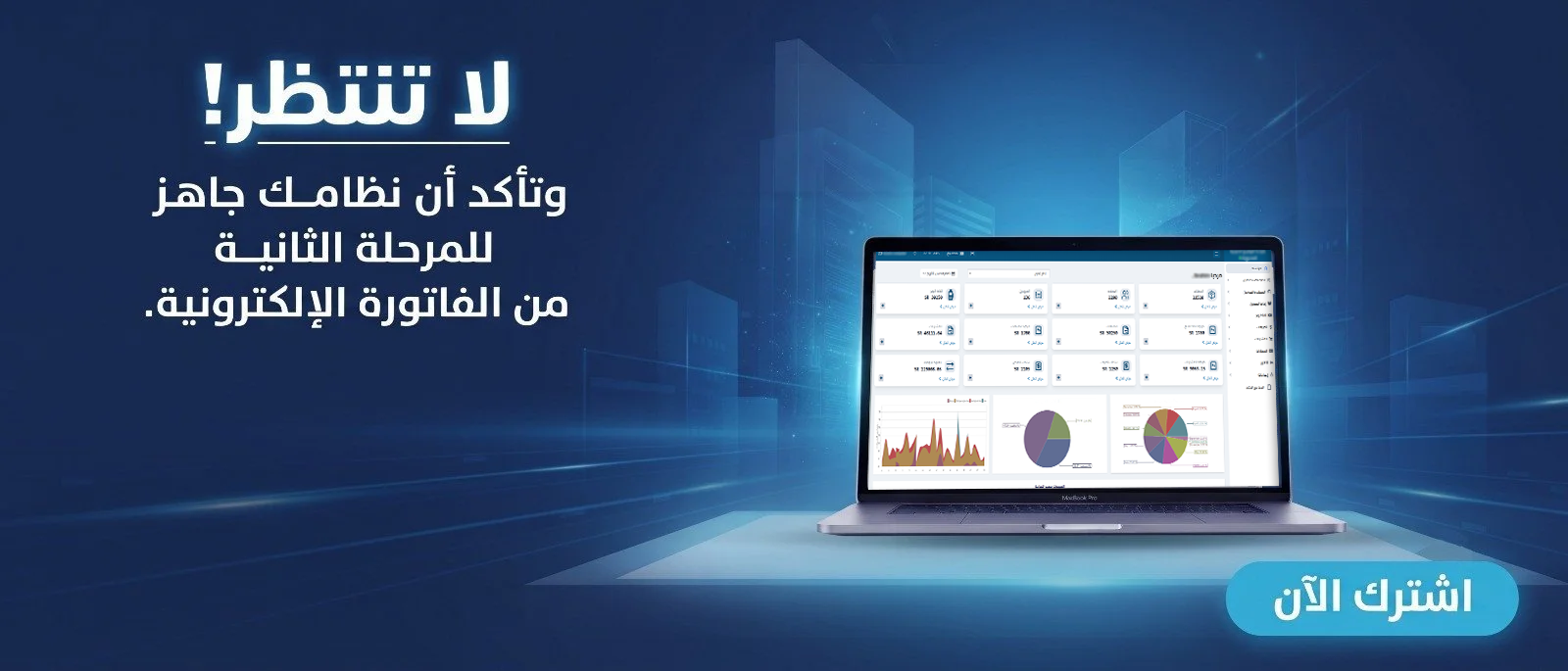
Image Description: A realistic modern Saudi office showing accounting software on a screen, with a scene illustrating the connection between the sales cycle and accounting records, without text on the image.
Alt Text: Sales and accounting software in Saudi Arabia with financial reports and operations management
Search Intent Overlap Note: This article focuses on functional integration and does not repeat a general overview of the best accounting software.
Approximate Article Body Word Count: 2,941
Contextual Internal Links: 10 placements linking to relevant internal pages; some industry-specific links require a relevance review before publication.
CTA Links: Five placements distributed throughout the article.
Regulatory Reference: https://zatca.gov.sa/ar/E-Invoicing/SolutionProviders/Pages/SolutionProvidersDirectory.aspx
Start Managing Your Business with Complete Flexibility
Try Aamal Digital for free. Start issuing electronic invoices that comply with ZATCA requirements in minutes.